[開箱] ASRock Z390 Steel Legend 簡單開箱
網頁好讀版: http://bit.ly/2WocimX
========================================================
https://csstalker.gjisland.net/blog/pics/2019-5-26/P5232180.JPG
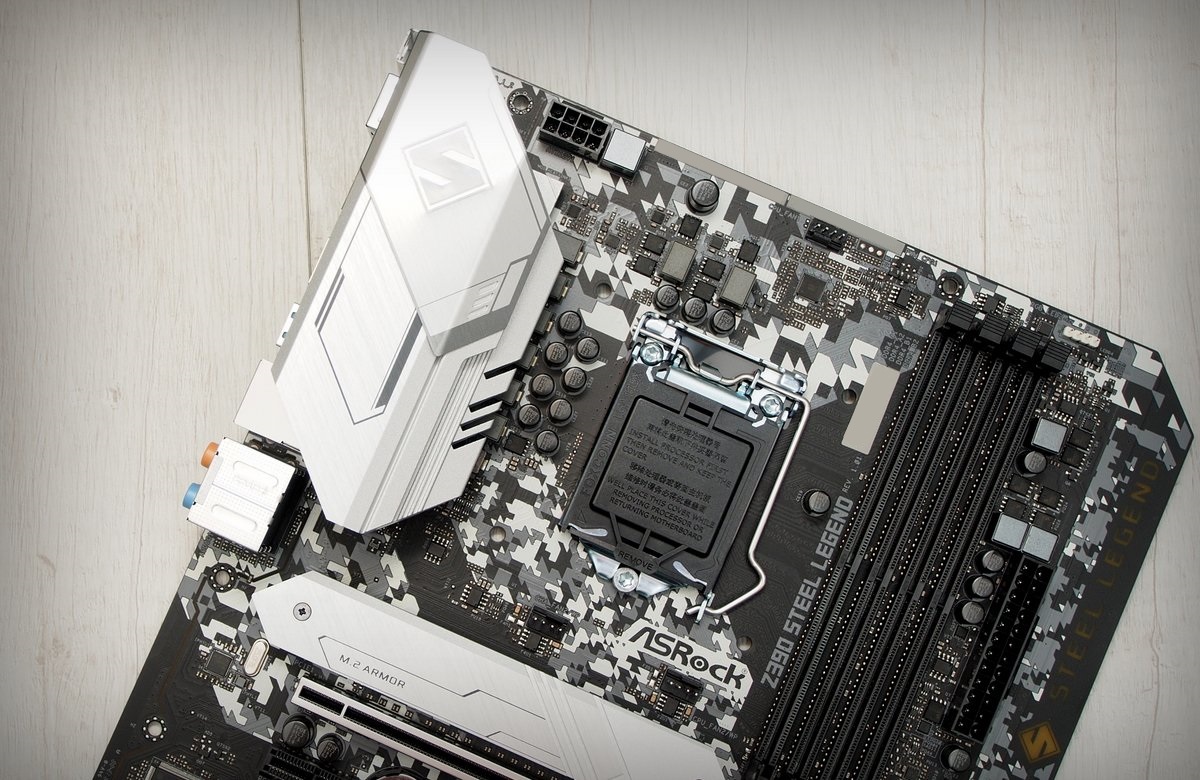
先前僅有 AMD 版本的 Steel Legend 系列主機板終於也跨足到 Intel 平台
首波推出的是搭配 Z390 晶片組的 Z390 Steel Legend
定位偏向中階,介於 Z390 Extreme4 以及 Pro4 之間
除了 Z390 應該會有的雙 M.2 與 USB 3.1 Gen 2 支援以外
加入了新的狀態指示燈與 RGB 元素
https://csstalker.gjisland.net/blog/pics/2019-5-26/P5232171.JPG
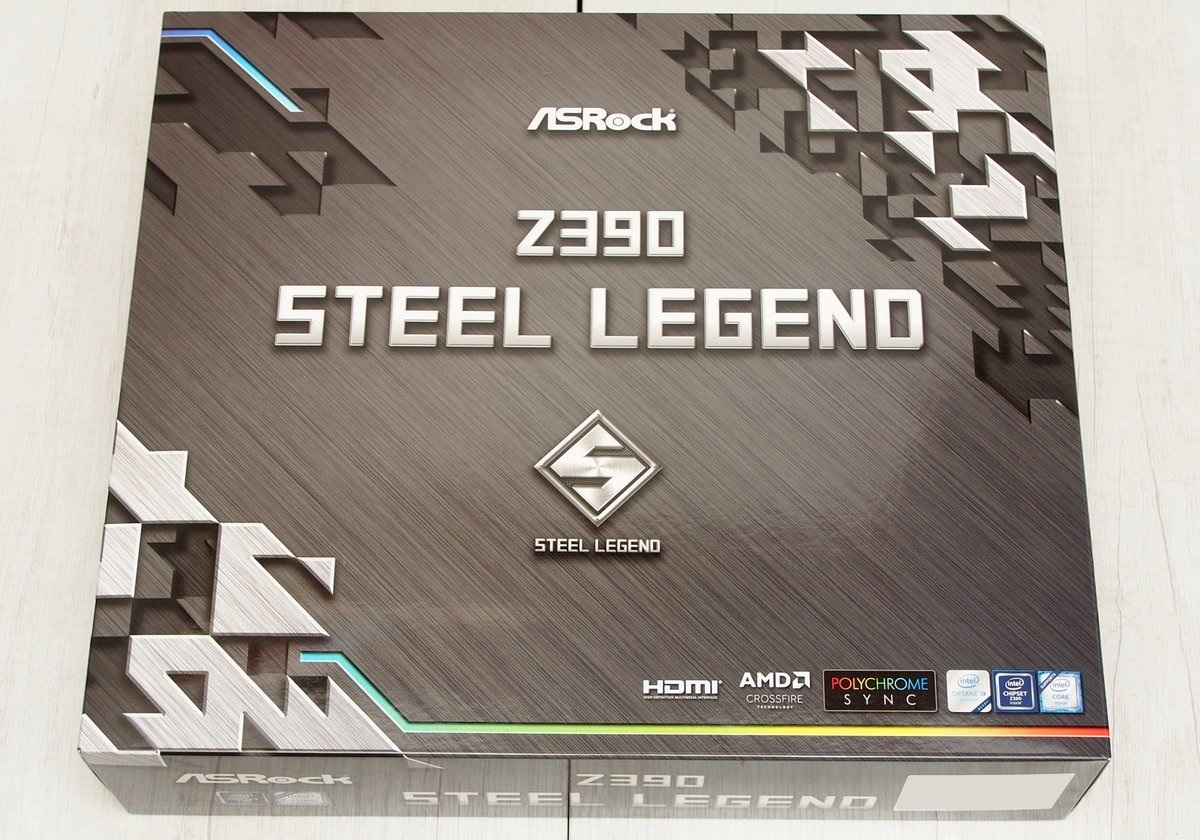
外盒正面一覽
跟其他款 Steel Legend 系列主機板一樣採用銀灰色的迷彩加上一點 RGB 線條的設計
https://csstalker.gjisland.net/blog/pics/2019-5-26/P5232172.JPG
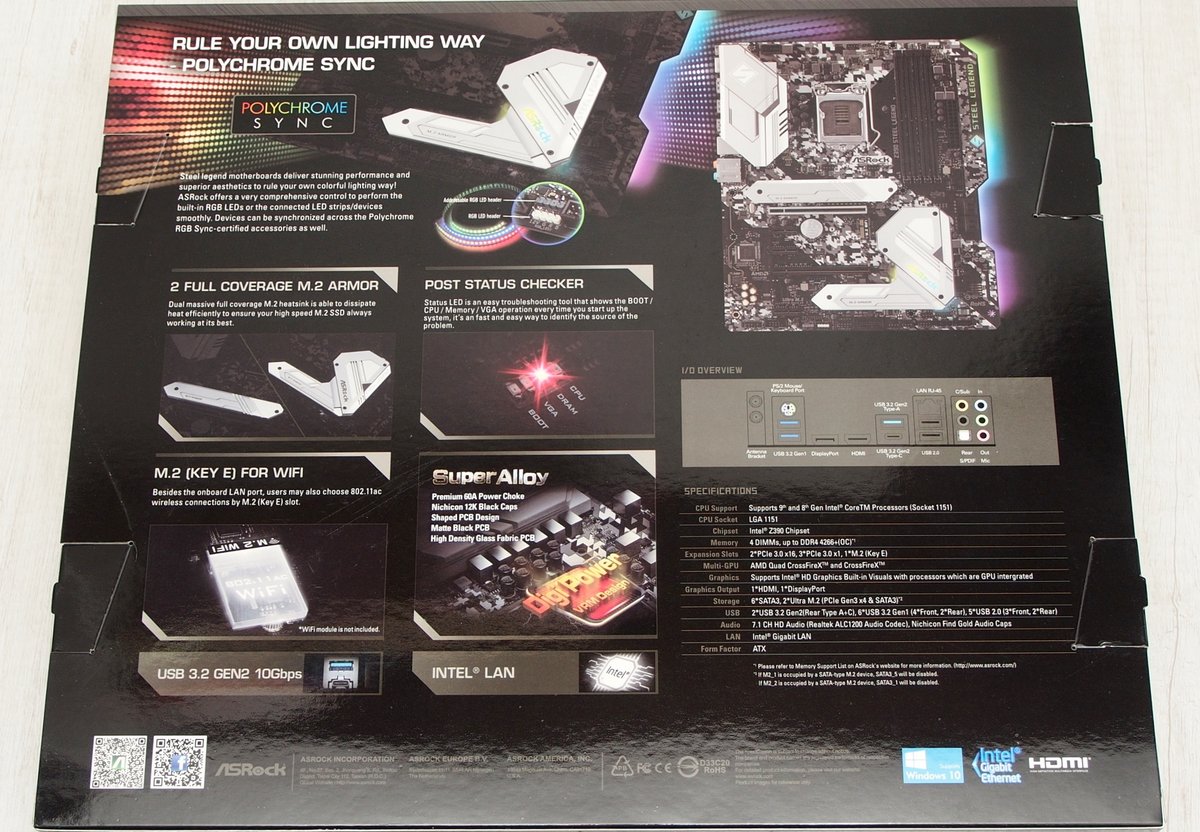
標榜支援 Polychrome Sync RGB 燈光同步
支援傳統 4 pin 與 3 pin Addressable 裝置
同時導入新的 M.2 散熱裝甲以及 debug 燈號 (post status checker)
針對 Z390 補上的 CNVi 裝置支援
Z390 Steel Legend 也保留了一組 M.2 Key E 插槽,供使用者擴充無線網卡
https://csstalker.gjisland.net/blog/pics/2019-5-26/P5232176.JPG
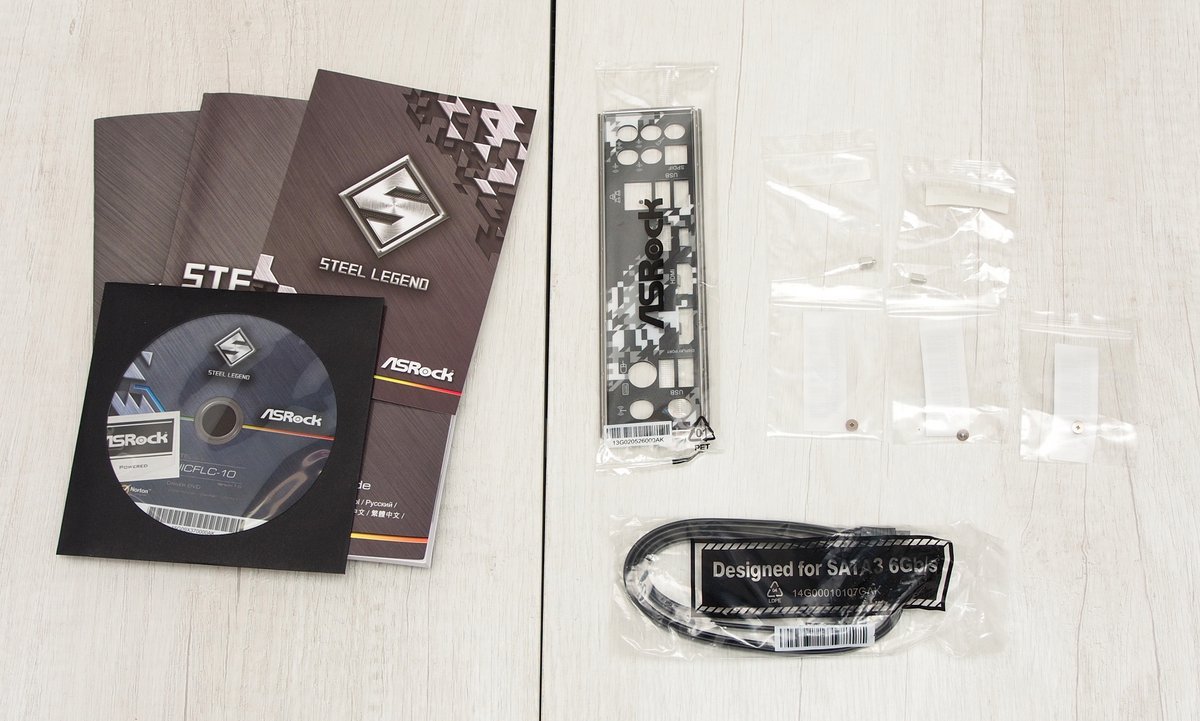
配件部分包含 I/O 擋板、M.2 螺絲,螺柱、SATA 縣材、明信片、說明書以及驅動光碟
https://csstalker.gjisland.net/blog/pics/2019-5-26/P5232177.JPG
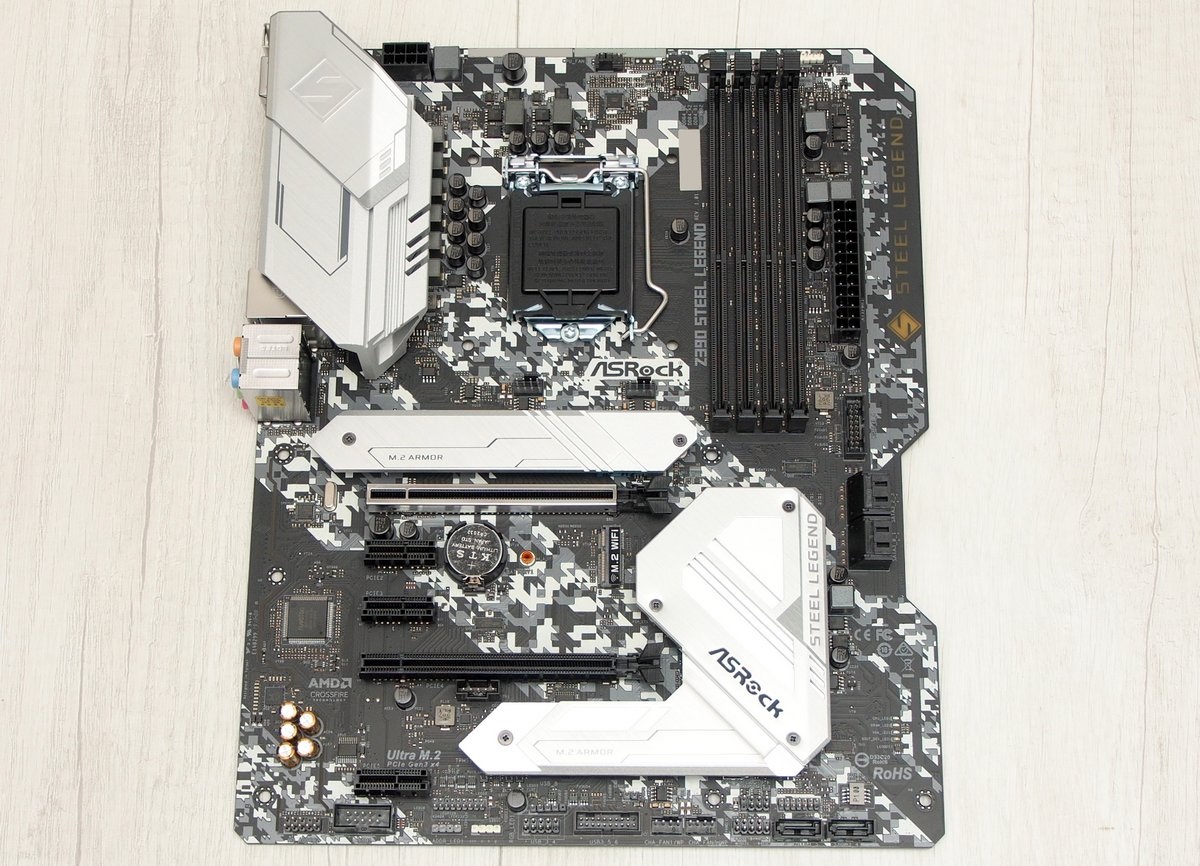
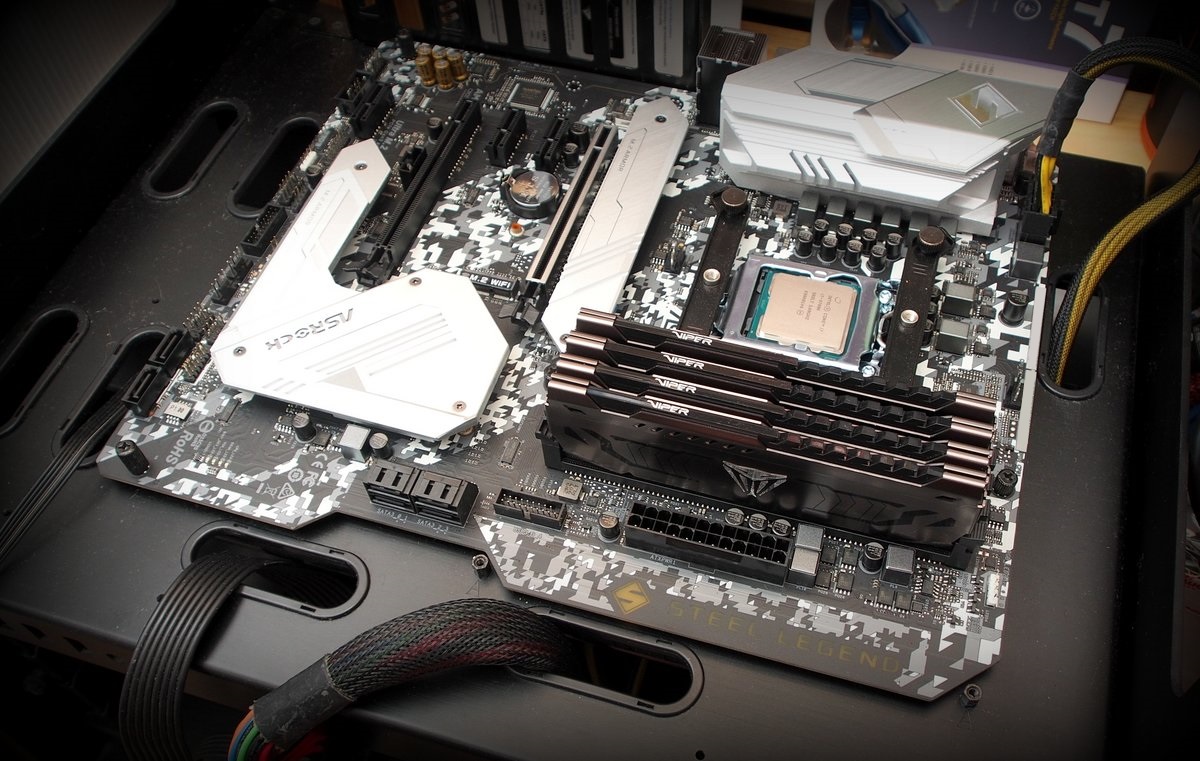
主機板正面一覽,這應該是第一次 ASRock 採用特殊 PCB 形狀的主機板
在供電區塊以及兩組 M.2 插槽均有散熱片輔助
不過或許是因為定位上的差異,下半部並沒有加上額外的 I/O 遮罩
https://csstalker.gjisland.net/blog/pics/2019-5-26/P5232179.JPG
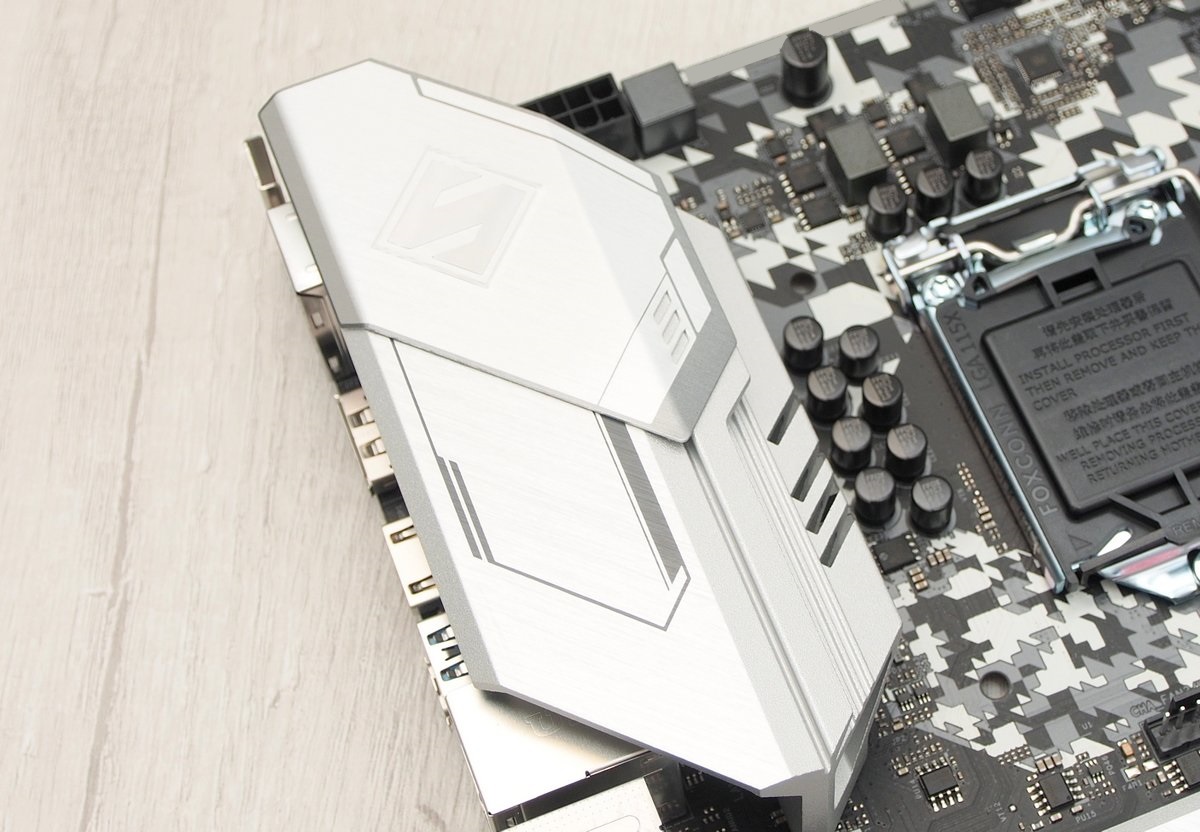
上半部則由 mos 區塊的散熱片直接延伸至後方
散熱片上可看到 Steel Legend 的 S 字樣
https://csstalker.gjisland.net/blog/pics/2019-5-26/P5232182.JPG
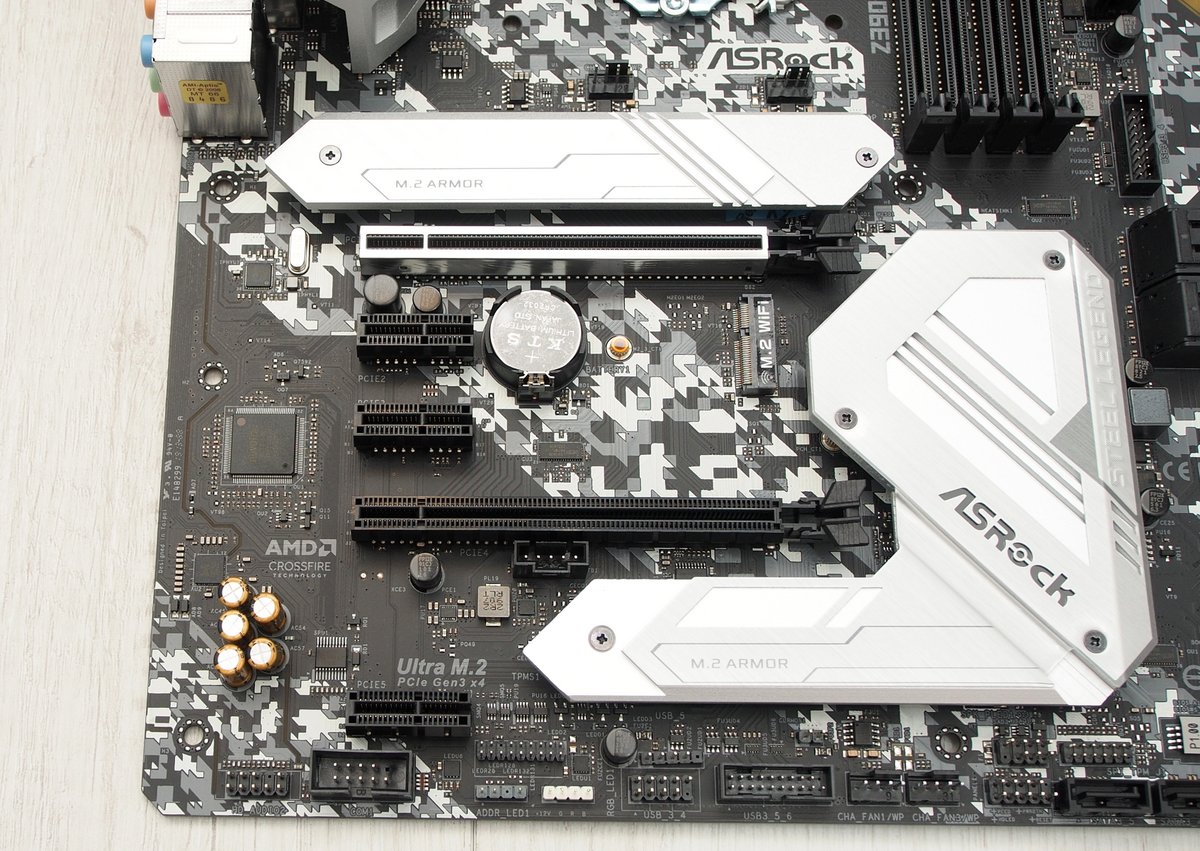
在擴充能力方面,Z390 Steel Legend 提供了 2 組 PCI-E x16 插槽(x16, x8)
3 組 PCI-E x1 插槽,第一組 PCI-E x16 採用帶金屬框體的強化料件
x1 插槽均採用 Flexible PCIe 設計,增加使用彈性
https://csstalker.gjisland.net/blog/pics/2019-5-26/P5232191.JPG
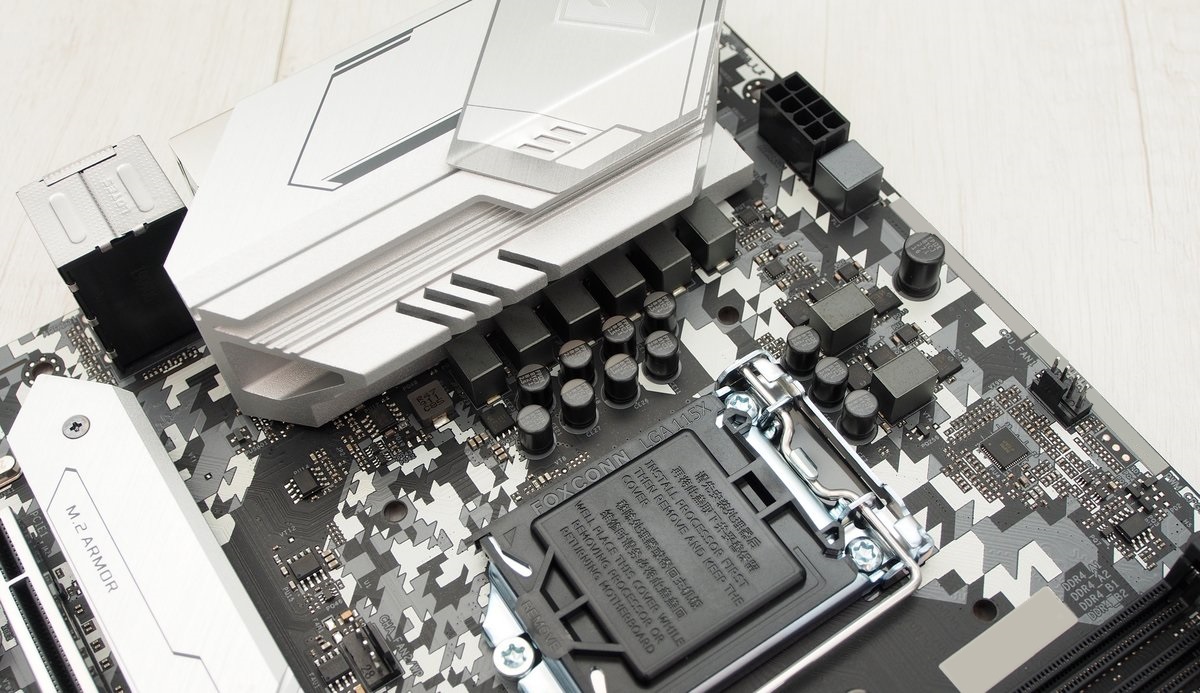
供電部分採用 8 相配置,用料使用 Premium 60A 電感搭配 Nichicon 12K 黑金電容
EPS 12V 配置在主機板左上角,2 組 CPU 風扇 4pin PWM 端子分散至 Socket 右上與右下角
第二組可根據需求調整為水冷幫浦使用
https://csstalker.gjisland.net/blog/pics/2019-5-26/P5232194.JPG
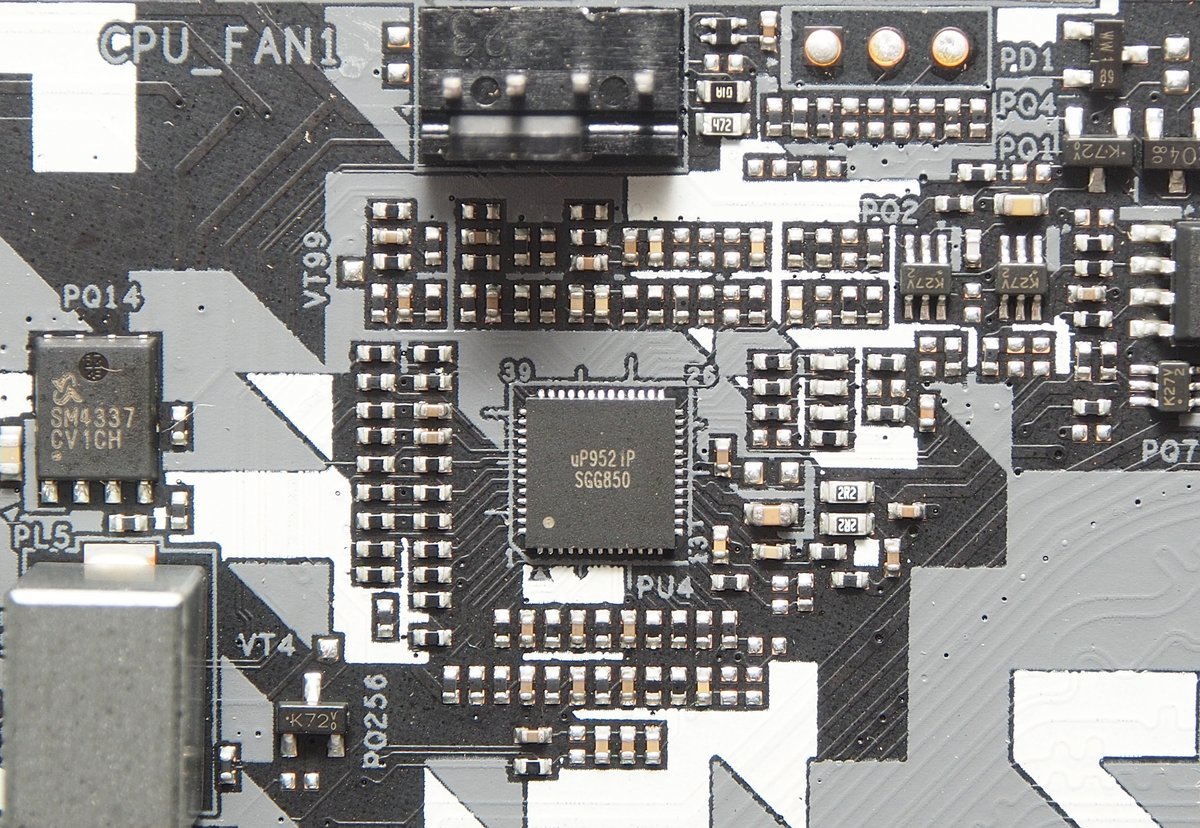
PWM 控制方案採用 uPI uP9521P
https://csstalker.gjisland.net/blog/pics/2019-5-26/P5232195.JPG
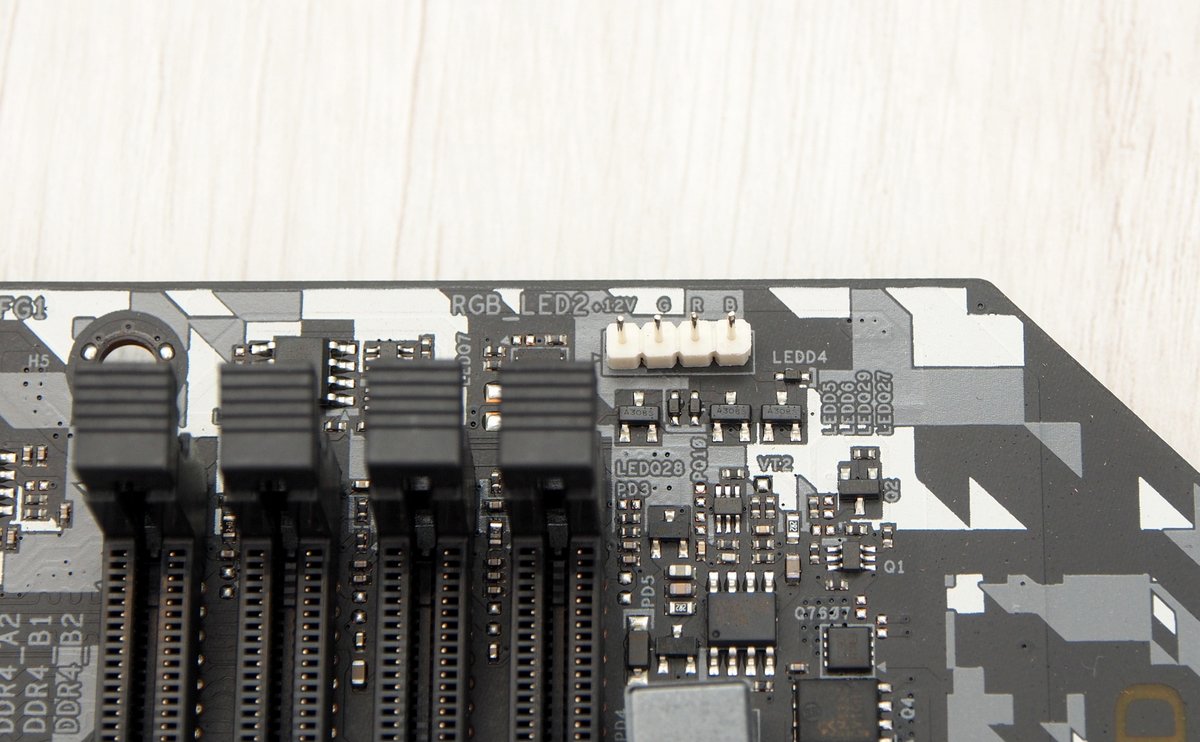
針對目前越來越常見的 RGB 散熱器,主機板右上角保留一組傳統 4pin RGB header
https://csstalker.gjisland.net/blog/pics/2019-5-26/P5232196.JPG
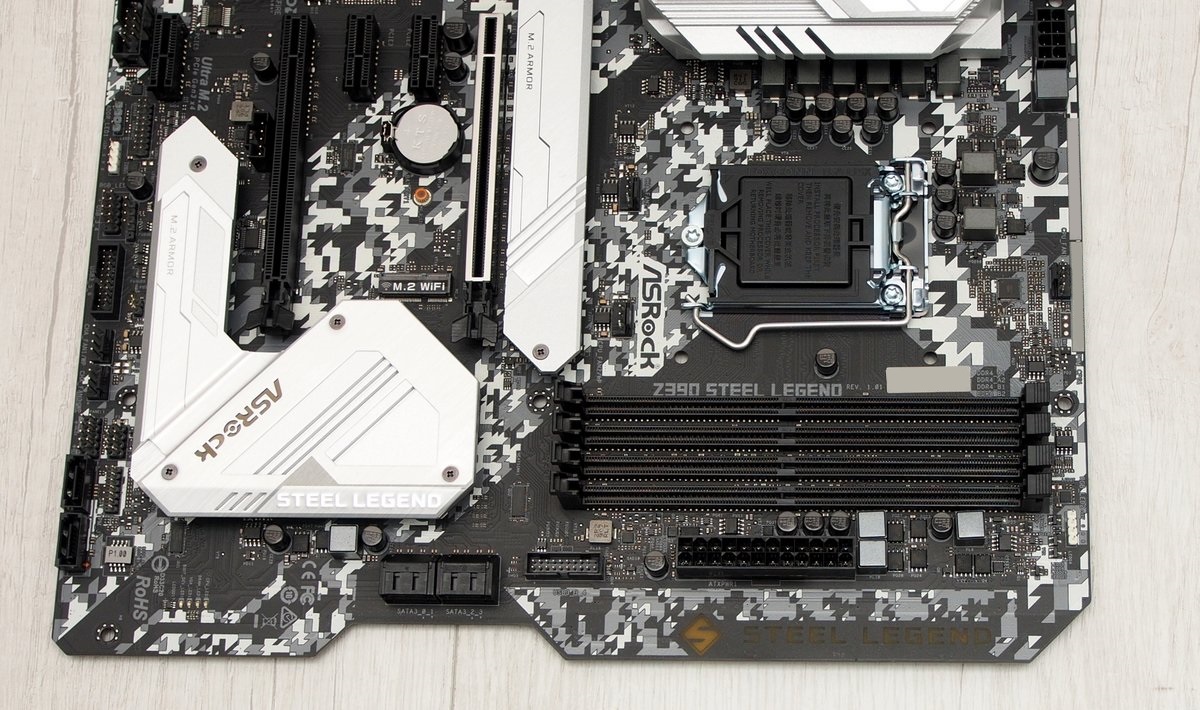
DDR4 插槽採用單邊扣具
雖然說 PCB 採用了異形設計
不過從最底下的鎖點可以發現尺寸還是跟一般 ATX 主機板相同
透過將 ATX 24 pin 等部分零件位置向內移動,留了一小塊空間給燈光使用
並在 PCB 刻出了 Steel Legend 字樣與符號
https://csstalker.gjisland.net/blog/pics/2019-5-26/P5232225.JPG
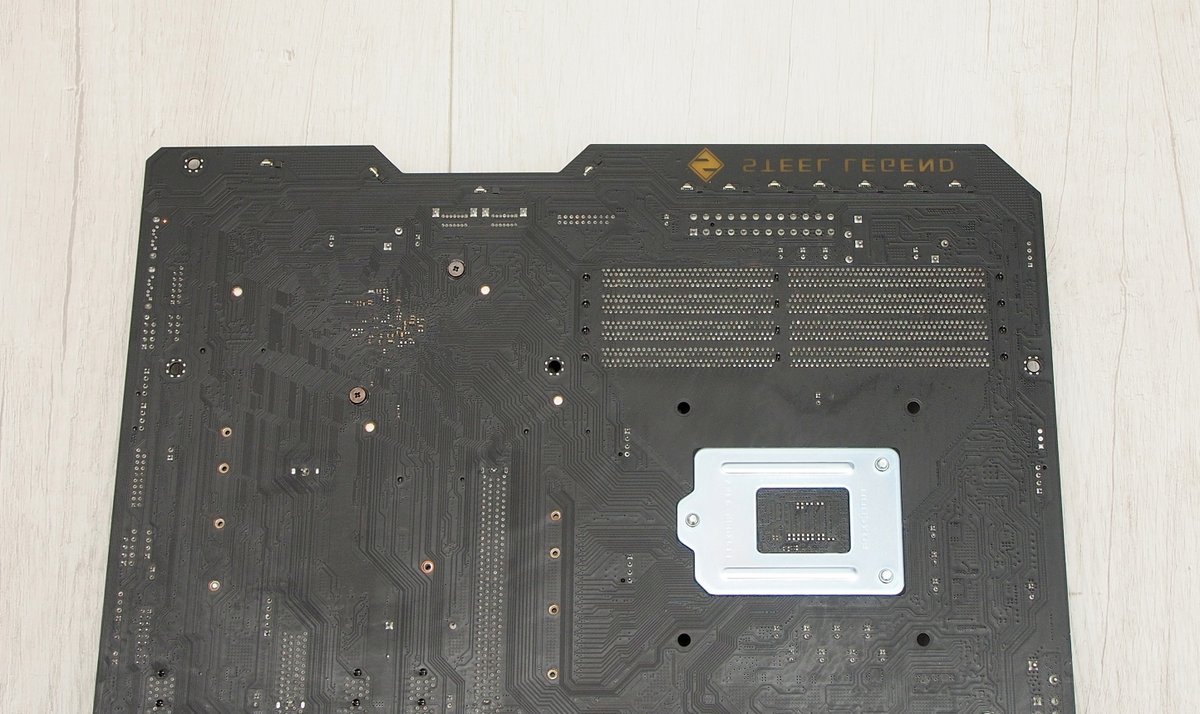
翻到背面可以看到 PCB 右側邊緣配上了 11 顆 RGB LED
https://csstalker.gjisland.net/blog/pics/2019-5-26/P5232199.JPG
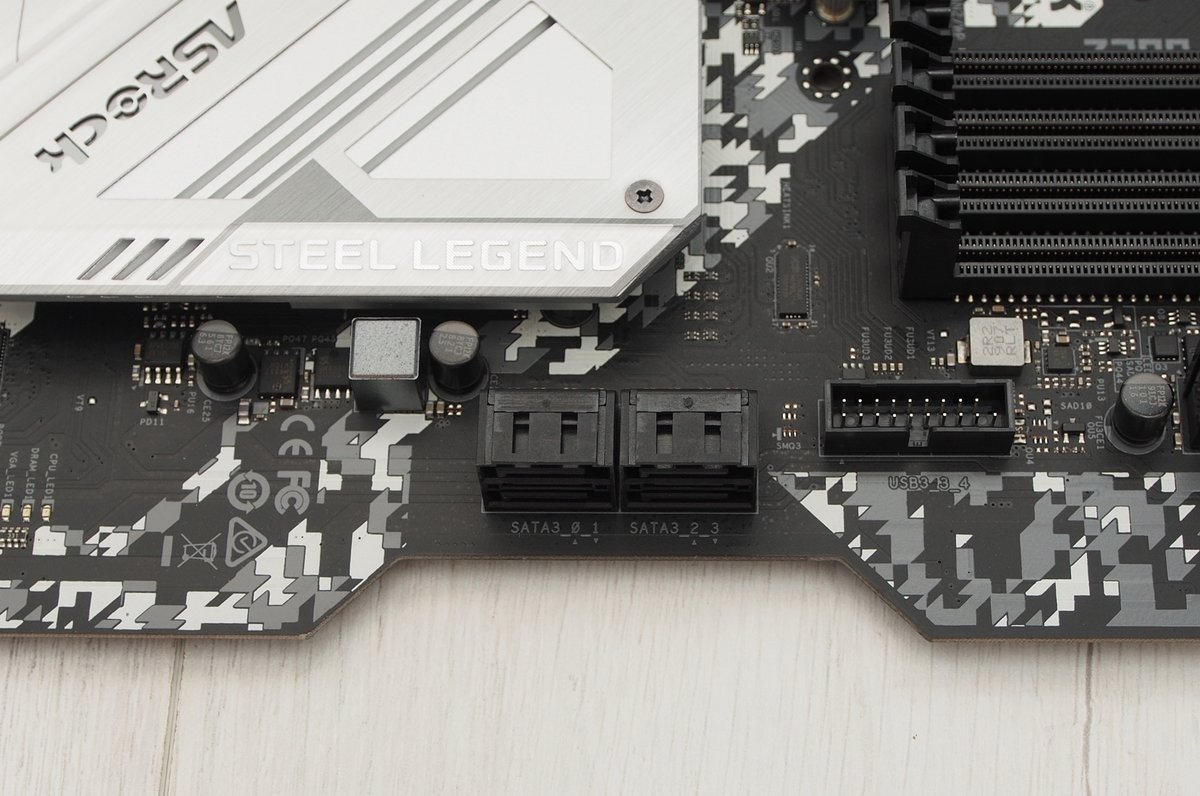
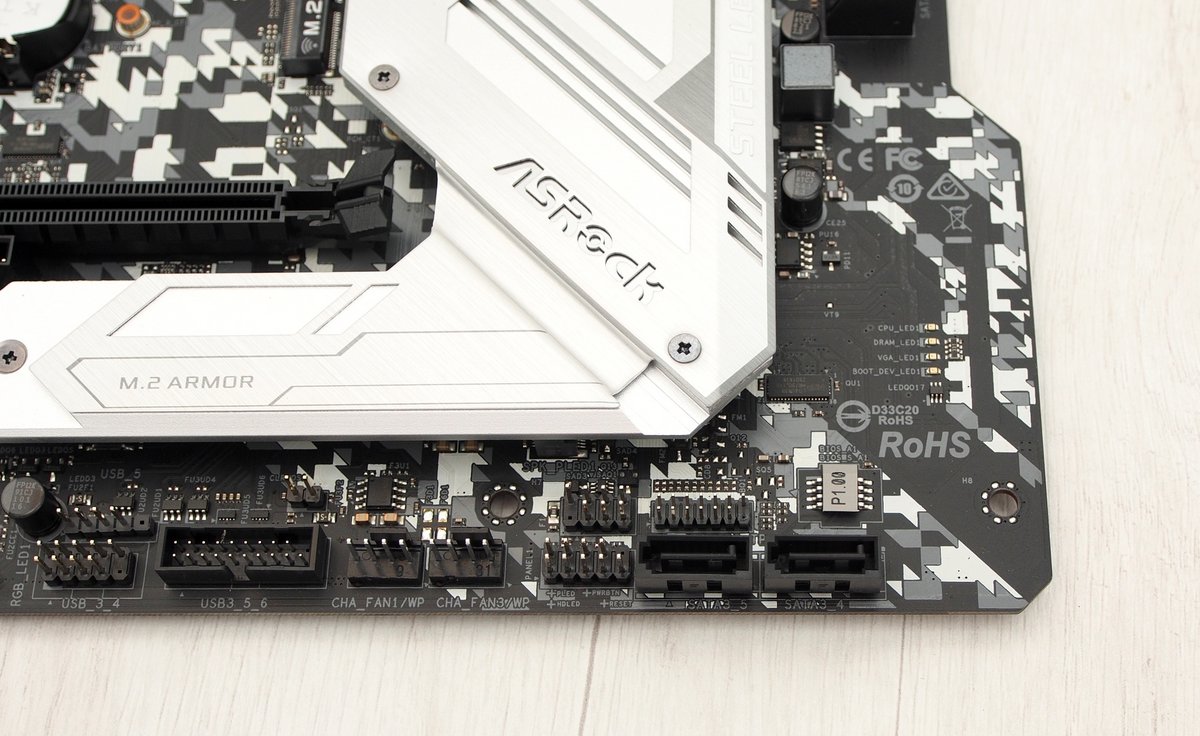
在儲存裝置方面,提供了 6 組 SATA3 端子
其中 4 組為 90 度轉向
同時配合 PCB 的實體切割位置,安裝上比較不會因為插槽內縮而影響
另外 2 組則是一般的直插設計,配置在主機板右下角
針對前置面板擴充,Z390 Steel Legend 提供了 2 組 USB 3.0 19pin header
https://csstalker.gjisland.net/blog/pics/2019-5-26/P5232203.JPG
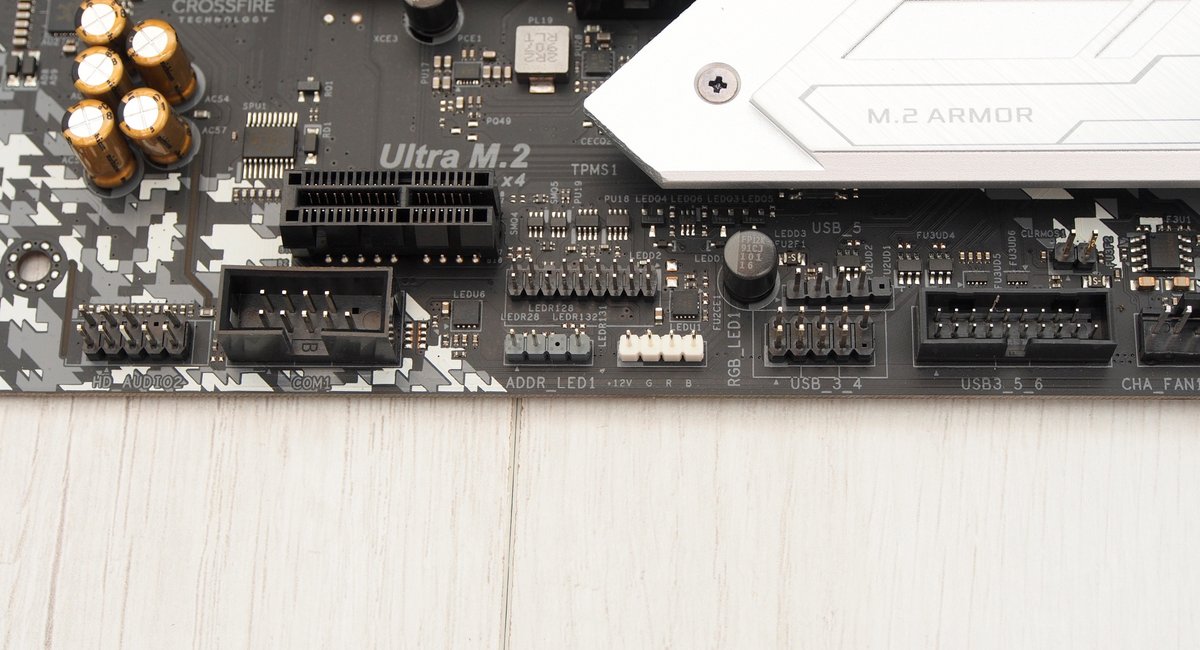
USB 2.0 部分最多可分成 3 個 port
對於搭配 NZXT 機殼水冷之類需要使用多組內置 USB 的人來說需要稍微留意一下數量
另外在左下角提供 3 pin Addressable 與 4pin 傳統 RGB 針腳各一
https://csstalker.gjisland.net/blog/pics/2019-5-26/P5232204.JPG
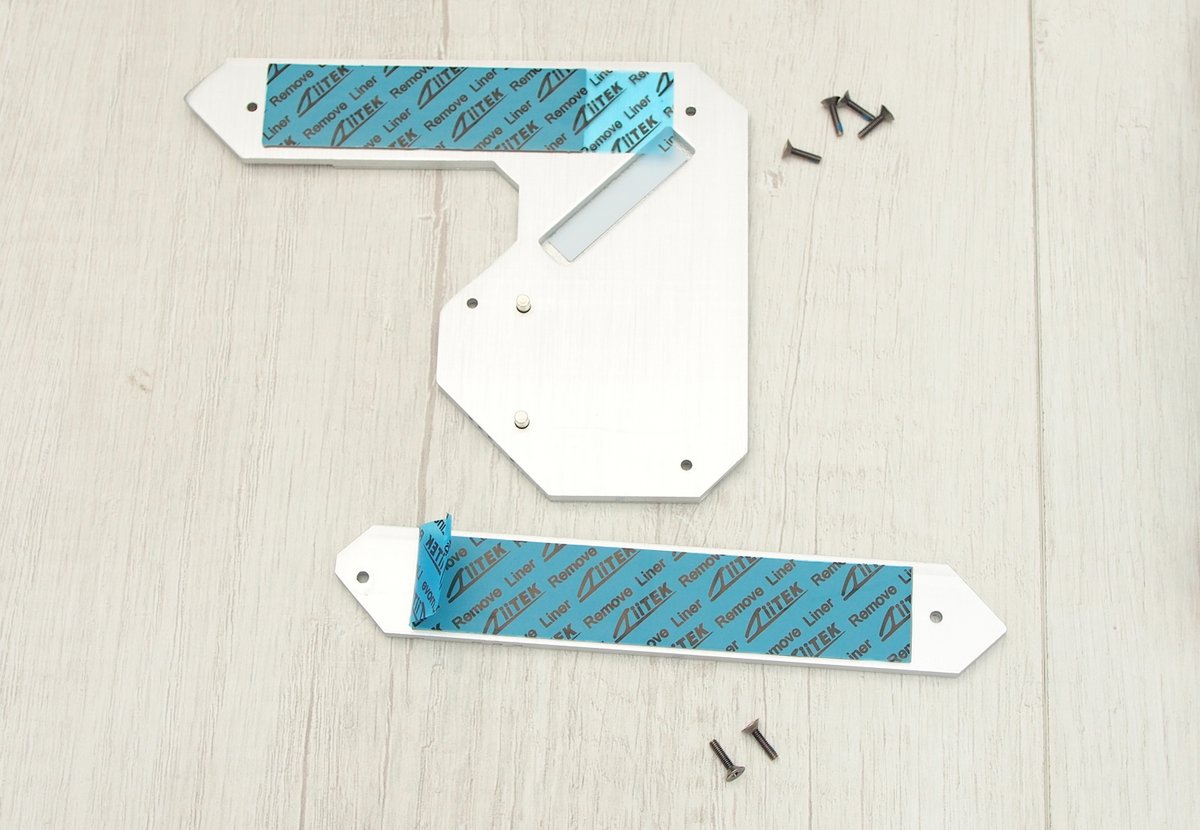
在高速裝置部分,Z390 Steel Legend 提供了 2 組 Ultra M.2 插槽,均配有鋁質散熱片與導熱貼
其中一組的散熱片採用了類似 ITX 主機板的 PCH 散熱共用設計
https://csstalker.gjisland.net/blog/pics/2019-5-26/P5232206.JPG
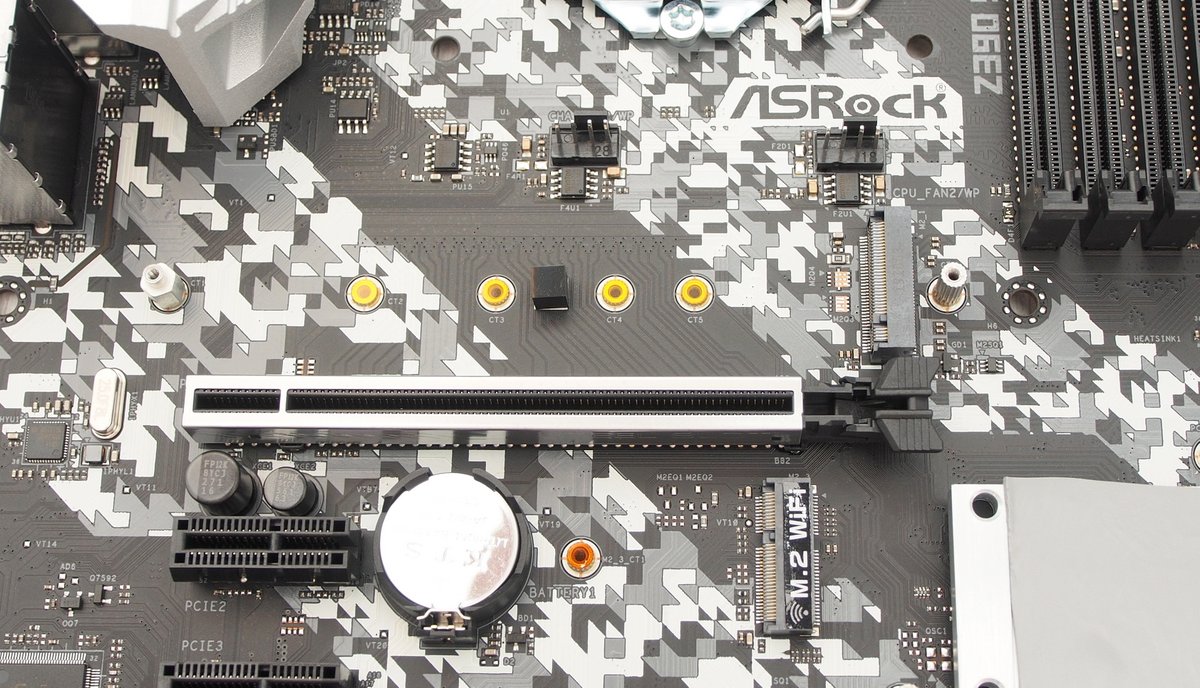
較靠近 CPU 的 M.2 插槽支援 type 2230, 2242, 2260, 2280, 22110 規格長度
https://csstalker.gjisland.net/blog/pics/2019-5-26/P5232207.JPG
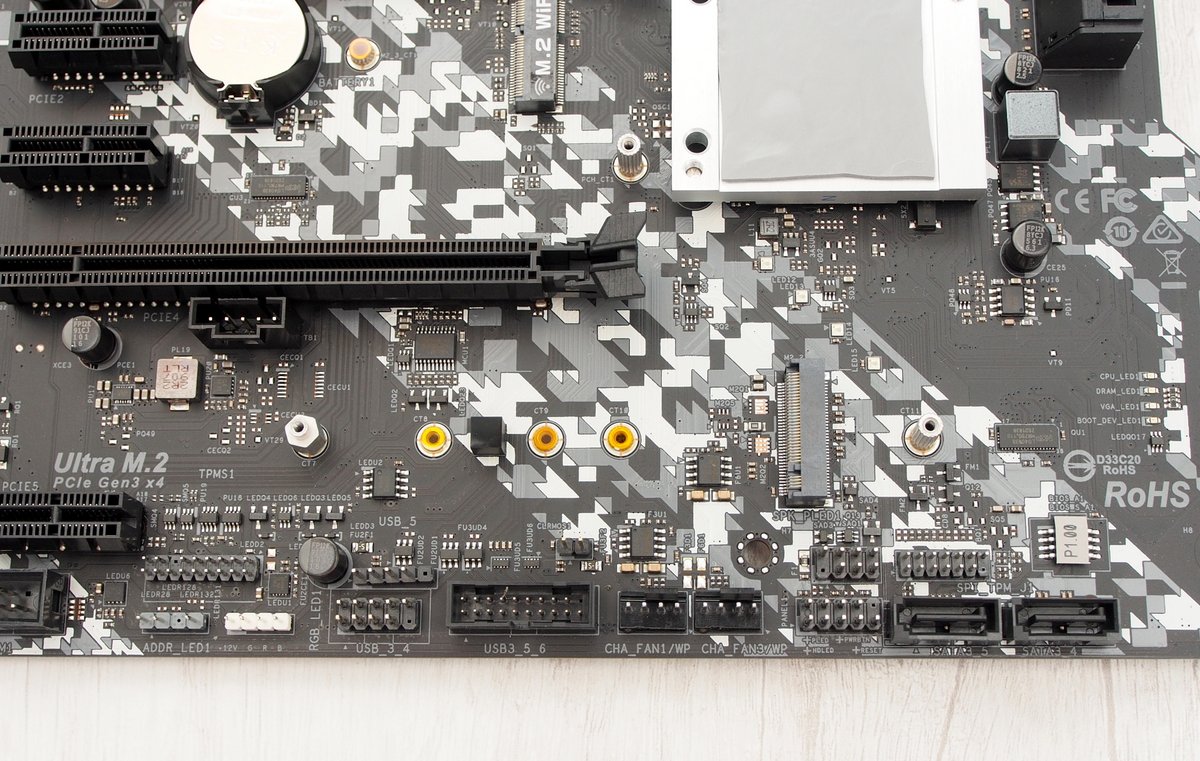
晶片組下方的第二組 M.2 插槽則支援 type 2230, 2242, 2260, 2280 規格長度
兩組 Ultra M.2 插槽同時適用於 SATA 通道與 PCIe 3.0 x4 的 NVMe SSD
https://csstalker.gjisland.net/blog/pics/2019-5-26/P5232211.JPG
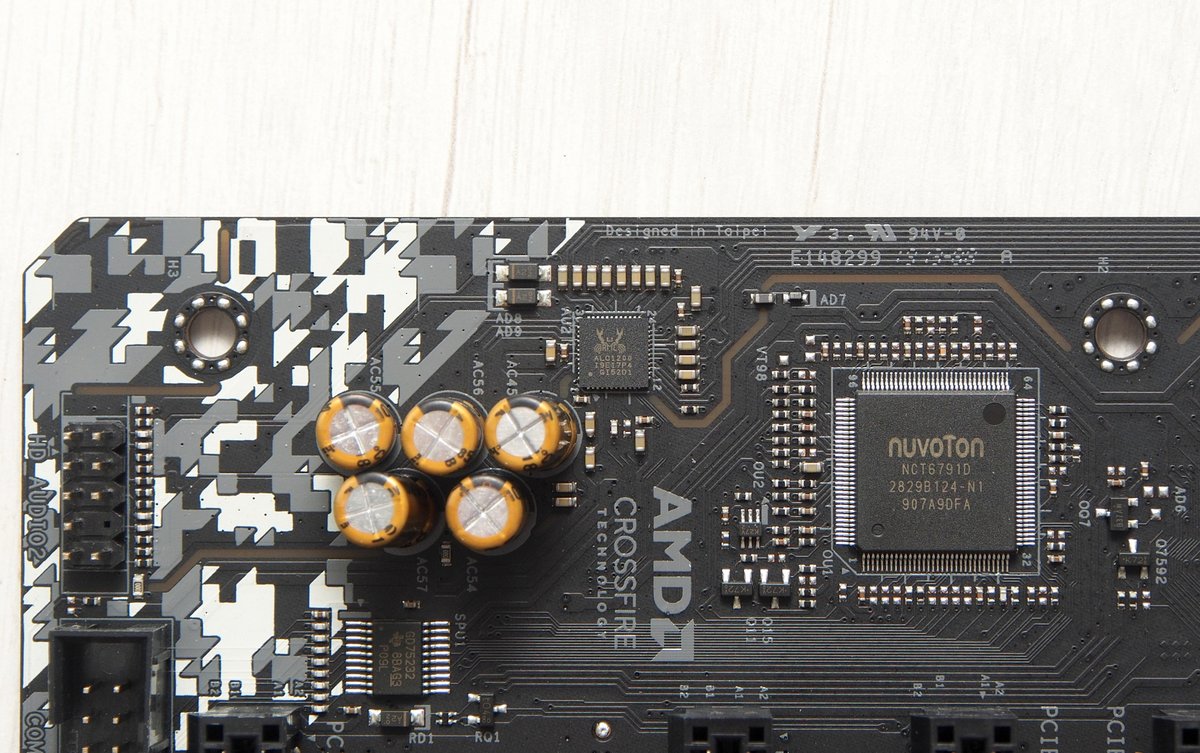
音效方面選用 Realtek ALC1120 搭配 Nichicon Fine Gold 系列音效電容
並對 PCB 進行切割隔離
環境控制由 nuvoton NCT6791D 負責
https://csstalker.gjisland.net/blog/pics/2019-5-26/P5232213.JPG
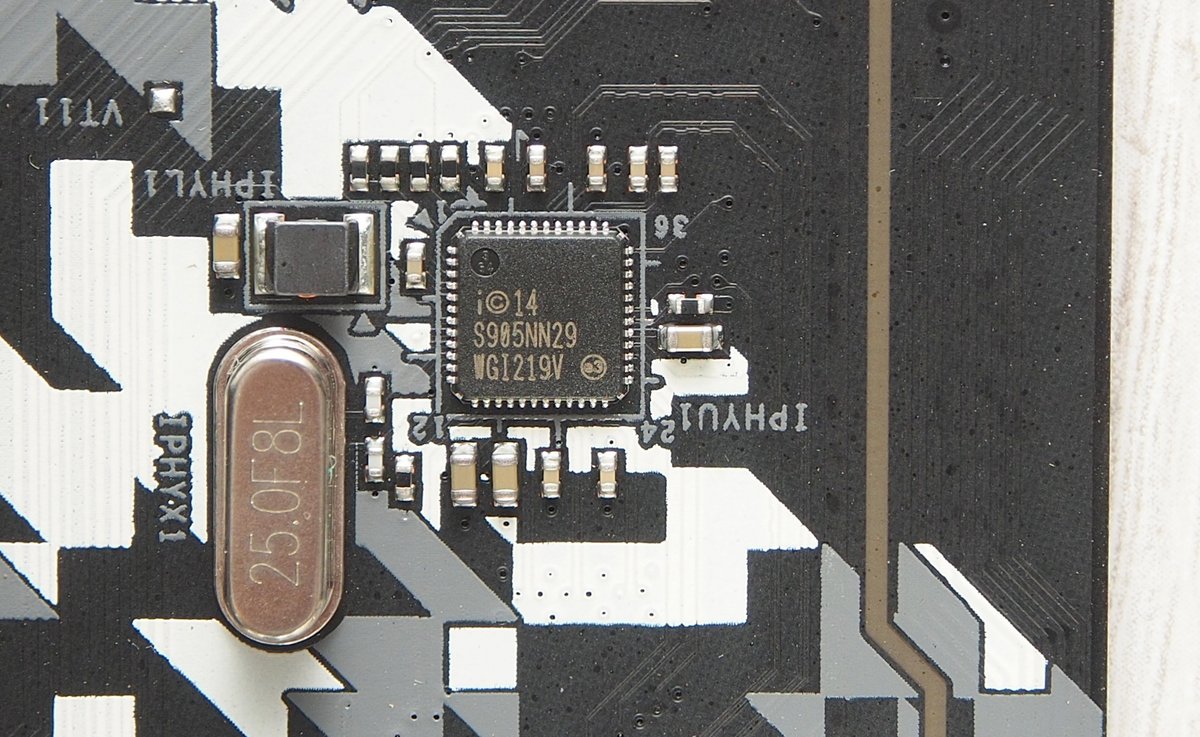
NIC 選用 Intel I219V 這個常見的方案,支援基本的網路喚醒功能 (WOL)
https://csstalker.gjisland.net/blog/pics/2019-5-26/P5232216.JPG
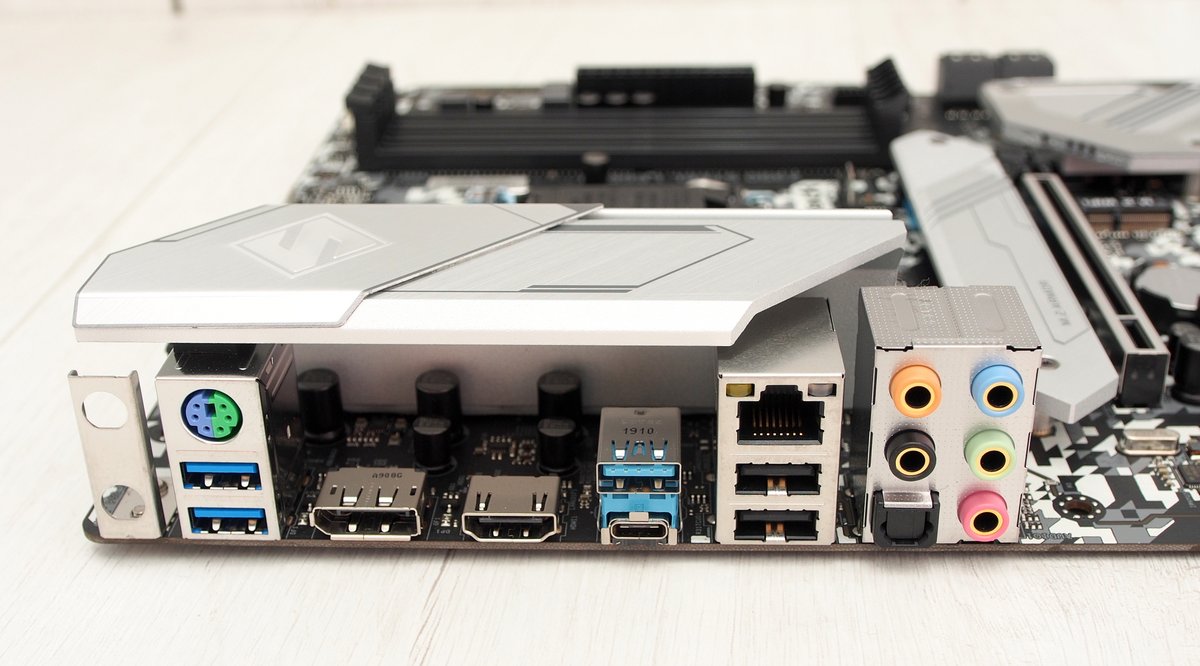
背板 I/O 提供 2 組 USB 3.1 Gen 1、1 組 USB 3.1 Gen 2 Type-A、1 組 USB 3.1 Gen 2 Type-C
保留一組 PS/2 鍵鼠以及 2 組 USB 2.0 插槽
顯示輸出提供 HDMI 1.4 及 DisplayPort 各一,滿足基本的內顯 4K 輸出需求
音效部分採用新的鍍金端子,內建 toslink 光纖介面
針對板子預留的 wifi 模組支援,上方也預留了金屬支架,方便使用者安裝天線
https://csstalker.gjisland.net/blog/pics/2019-5-26/P5242237.JPG
======================================
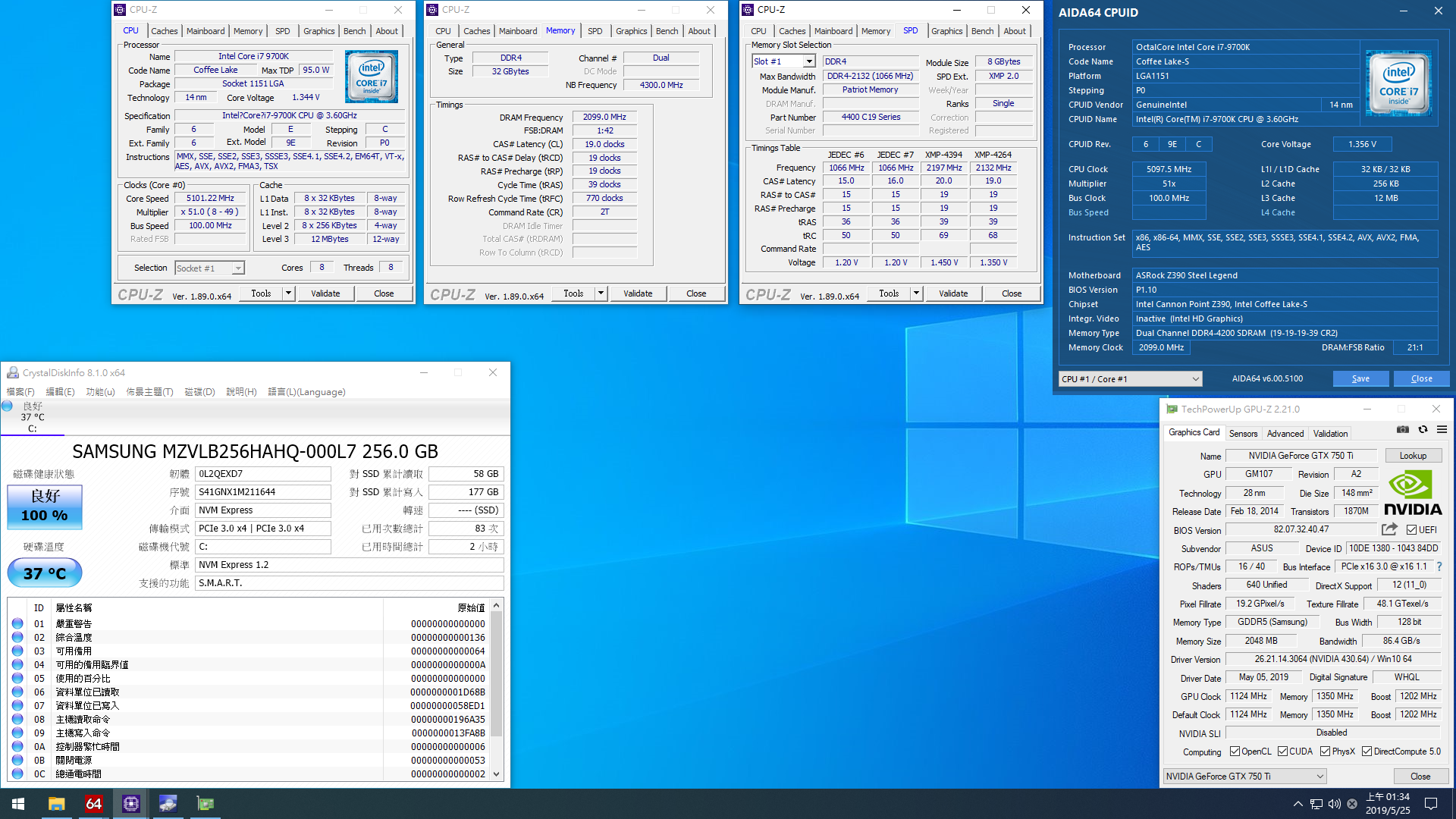
測試平台:
CPU:Intel Core i7-9700K @ 5.1G
MB:ASRock Z390 Steel Legend
RAM:Patriot Viper Steel DDR4 8G x 4 @ DDR4-4200
VGA:ASUS STRIX GTX 750 Ti OC 2G
HDD:Samsung PM981 256G
PSU:Cooler Master Silent Pro M2 850w
OS:Windows 10 Pro x64 Build 1903
======================================
https://csstalker.gjisland.net/blog/pics/2019-5-26/cpuz.png
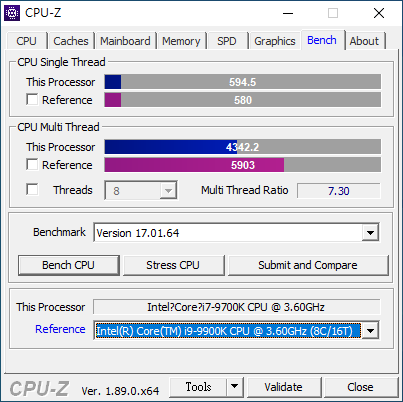
CPU-Z 內建 benchmark,單核 594.5,多核 4242.2
https://csstalker.gjisland.net/blog/pics/2019-5-26/cpumark99.png
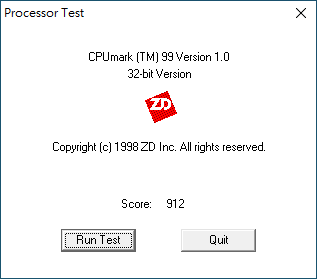
cpumark99,Score 912
https://csstalker.gjisland.net/blog/pics/2019-5-26/chess.png
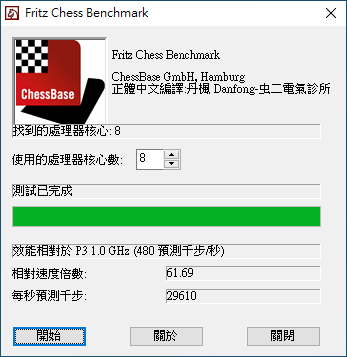
Fritz Chess Benchmark,61.69 倍,29610
https://csstalker.gjisland.net/blog/pics/2019-5-26/aida64_mem.png

AIDA64 記憶體頻寬測試
讀取 54649 MB/s,寫入 43387 MB/s,複製 45818 MB/s,延遲 43.5ns
https://csstalker.gjisland.net/blog/pics/2019-5-26/pi_1m.png
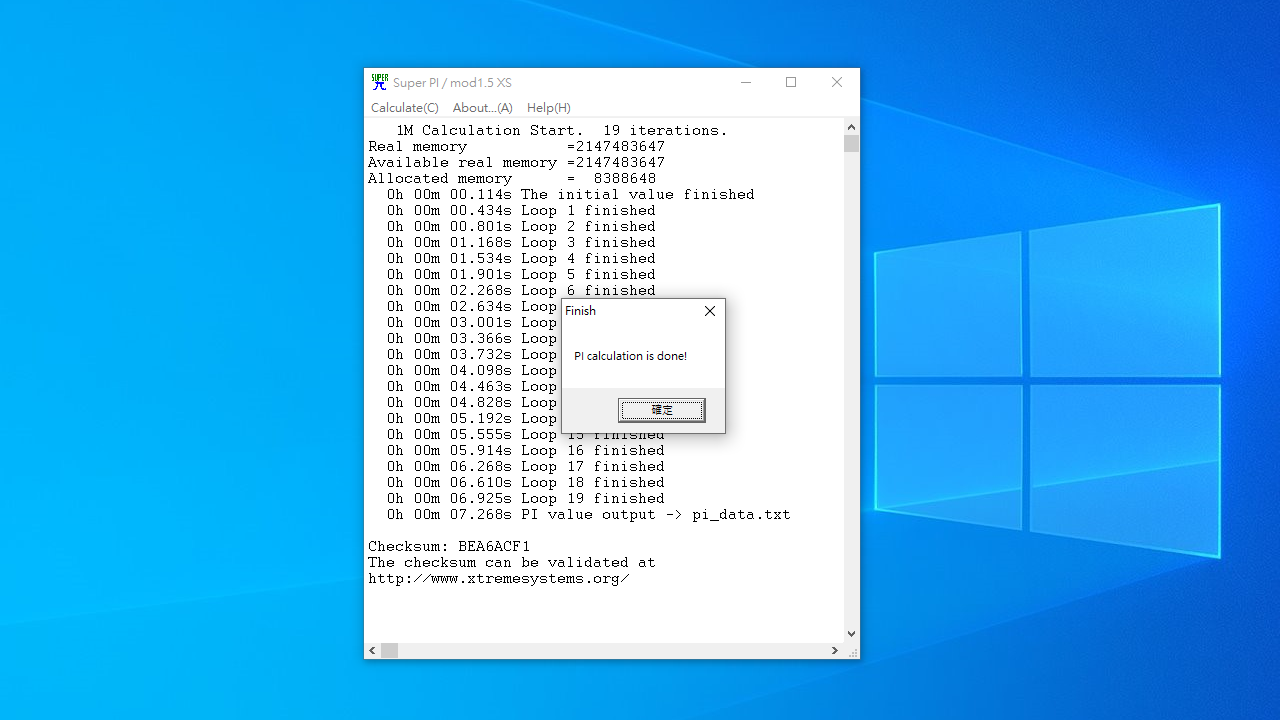
Super PI 1M,7.268 秒
https://csstalker.gjisland.net/blog/pics/2019-5-26/winrar.png
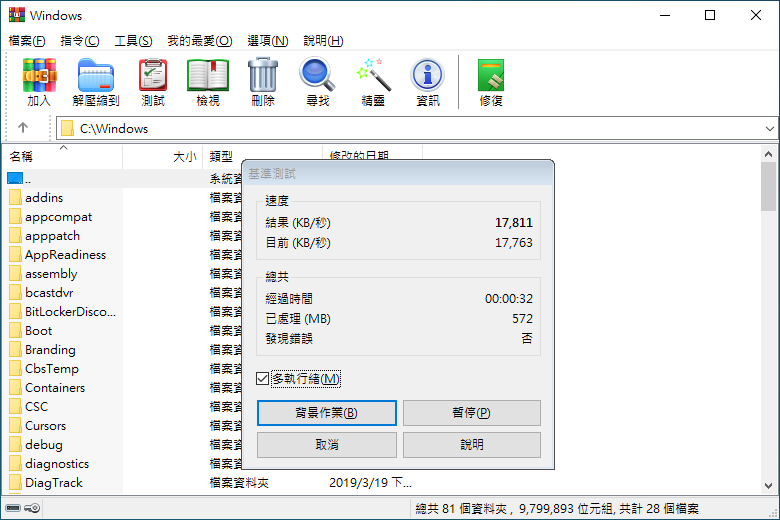
winrar 壓縮基準測試,17811 KB/s
https://csstalker.gjisland.net/blog/pics/2019-5-26/7zip.png
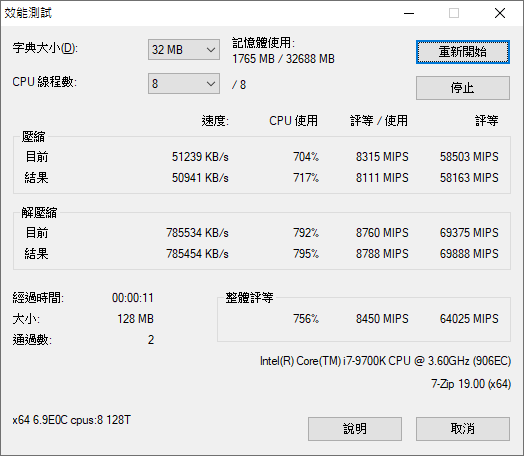
7-zip 效能測試,壓縮 58163 MIPS,解壓縮 69888 MIPS
https://csstalker.gjisland.net/blog/pics/2019-5-26/r15.png
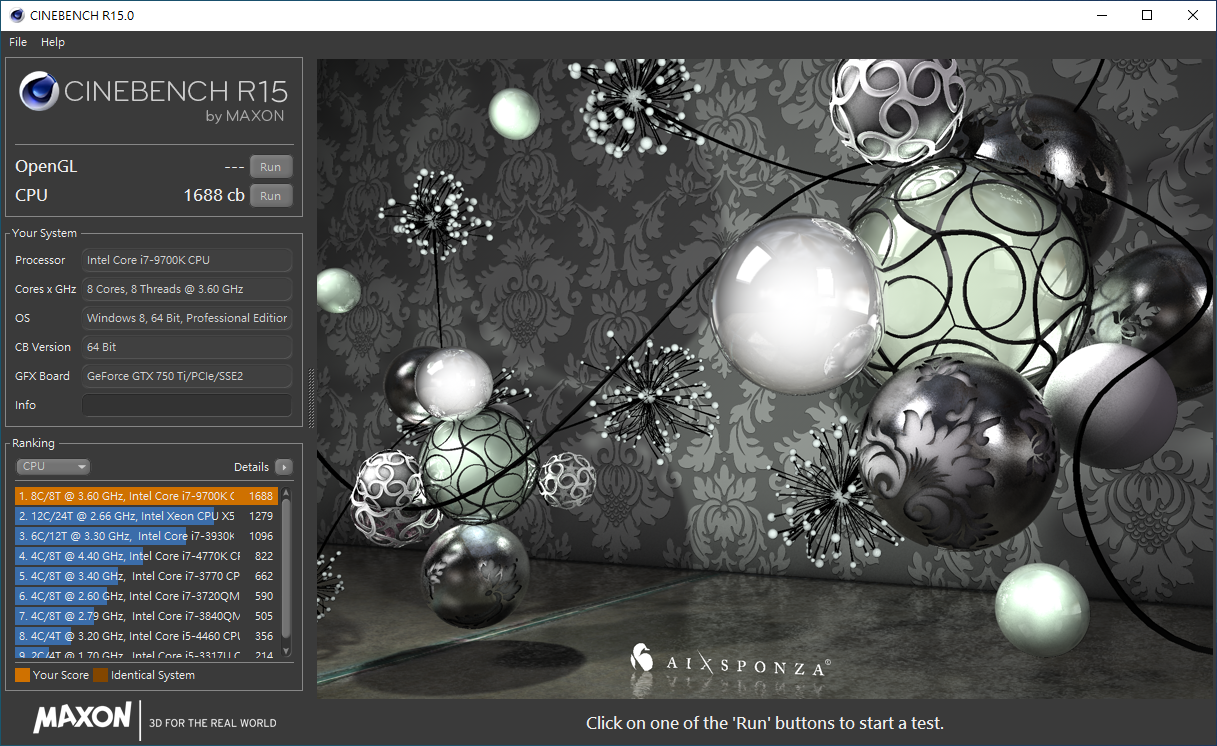
Cinebench R15,CPU 1688 cb
https://csstalker.gjisland.net/blog/pics/2019-5-26/r20.png
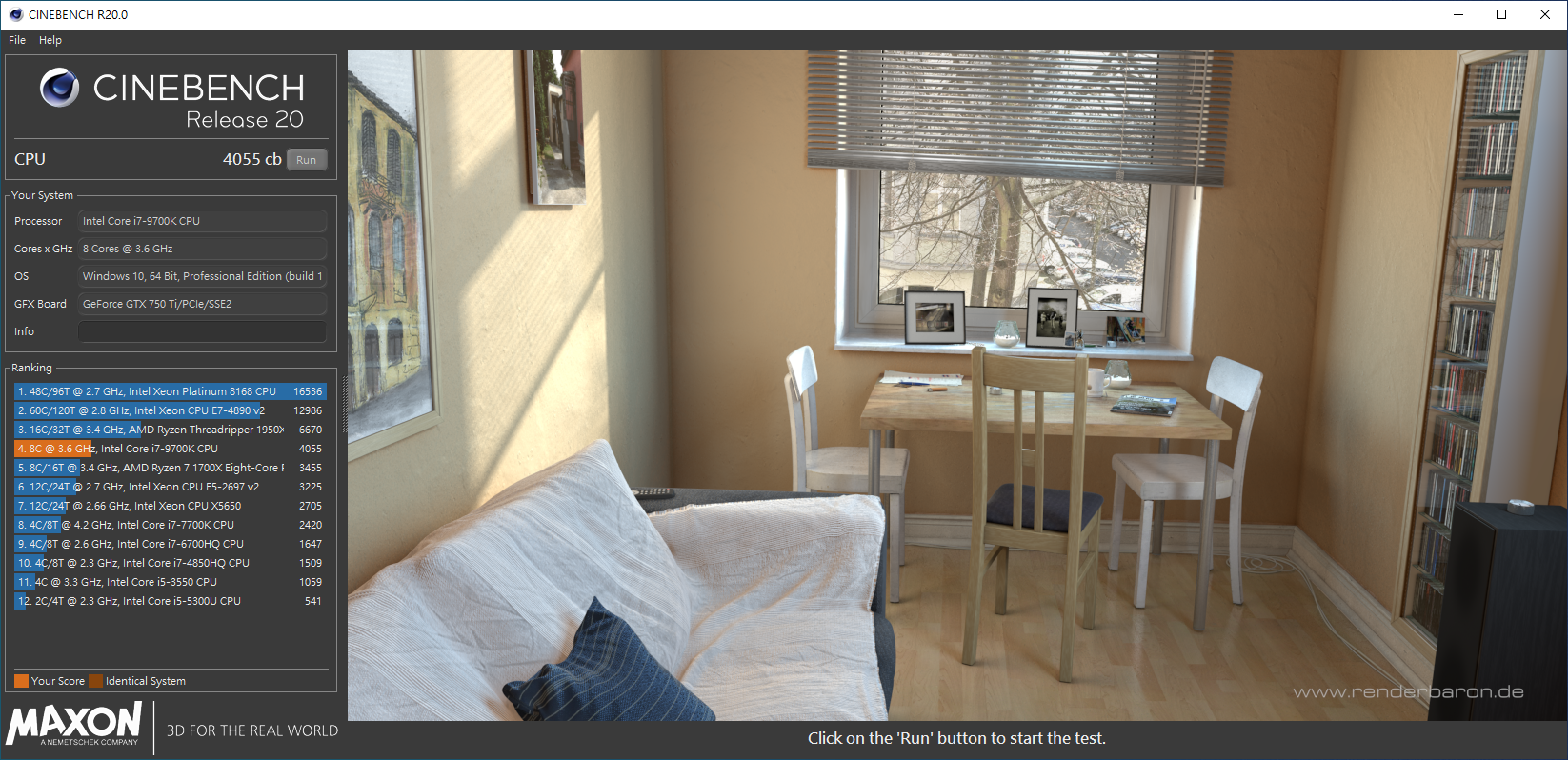
Cinebench R20,CPU 4055 cb
https://csstalker.gjisland.net/blog/pics/2019-5-26/realbench.png
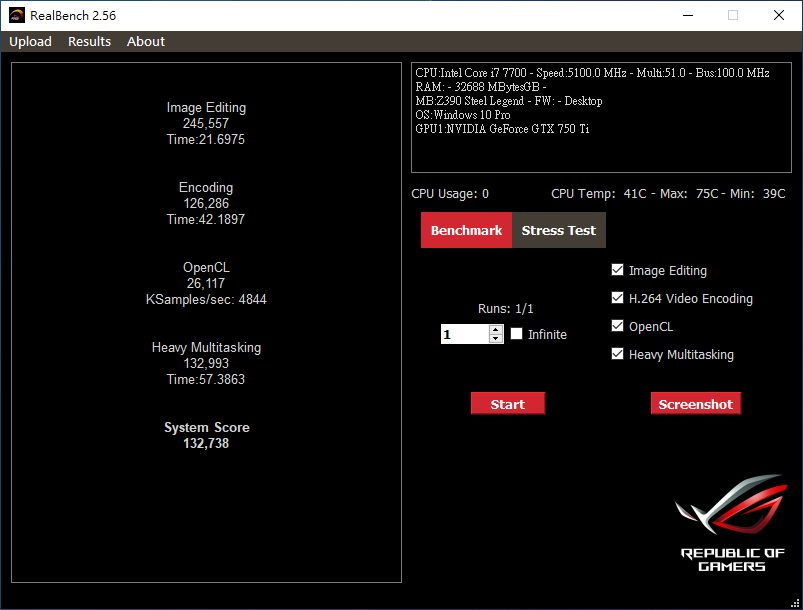
Realbench,System Score 132738
https://csstalker.gjisland.net/blog/pics/2019-5-26/P5252255.JPG
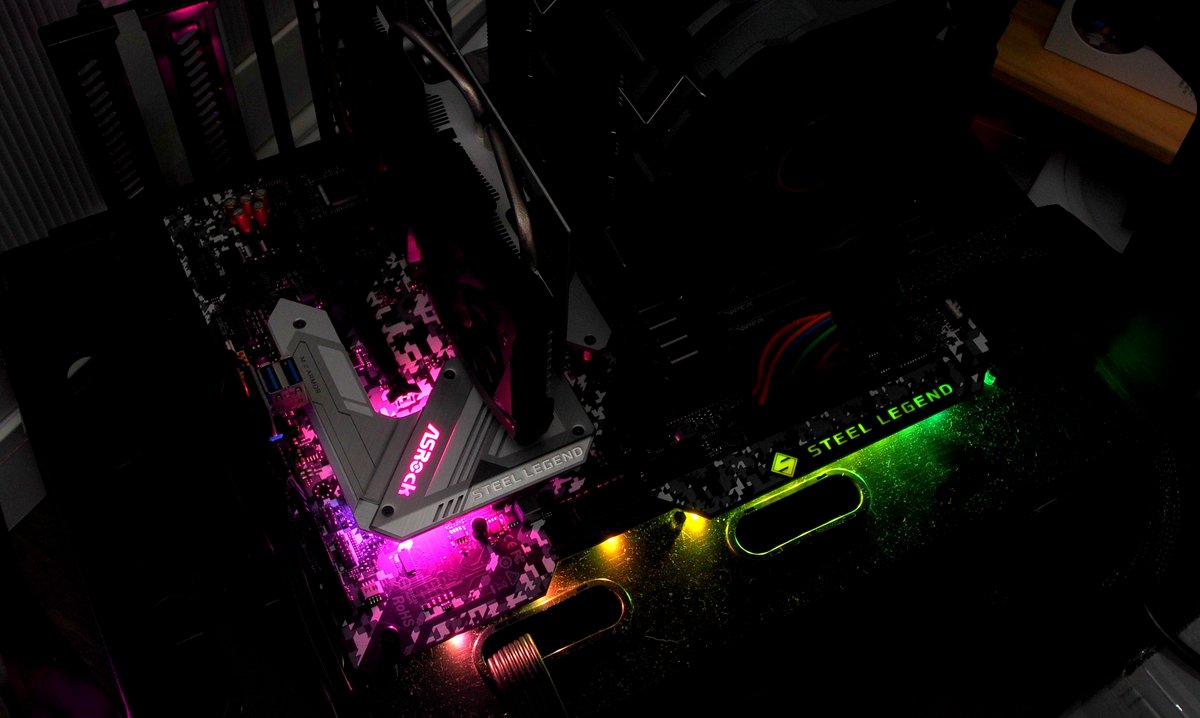
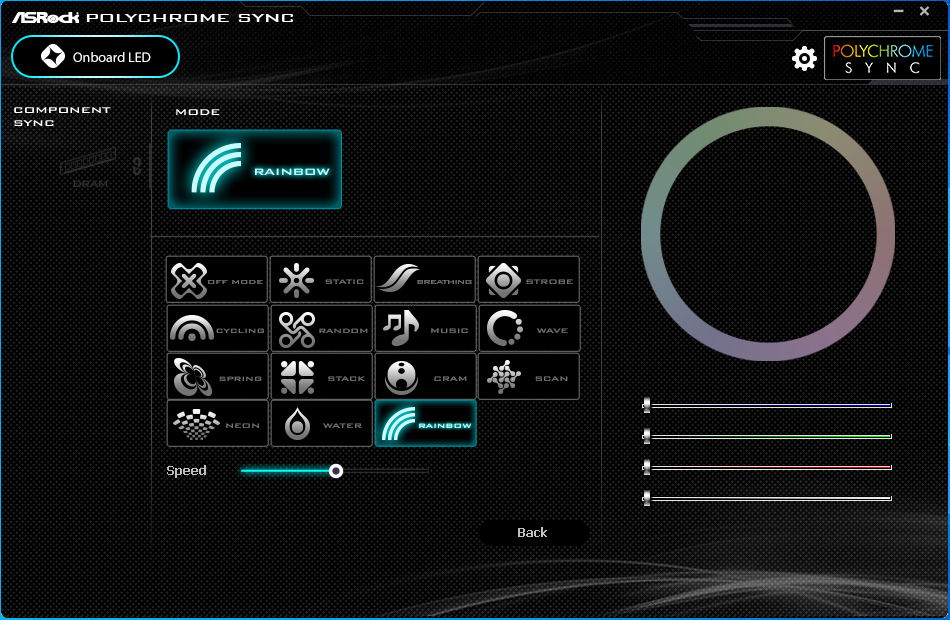
內建燈光可透過 ASRock 的 Polychrome RGB 軟體控制
顏色可透過色盤或是 RGB 比例混合調整
預設提供 Static、Breathing、Strobe、Cycling、Random、Music、Wave
Spring、Stack、Cram、Scan、Neon、Water 以及 Rainbow 共 14 種效果
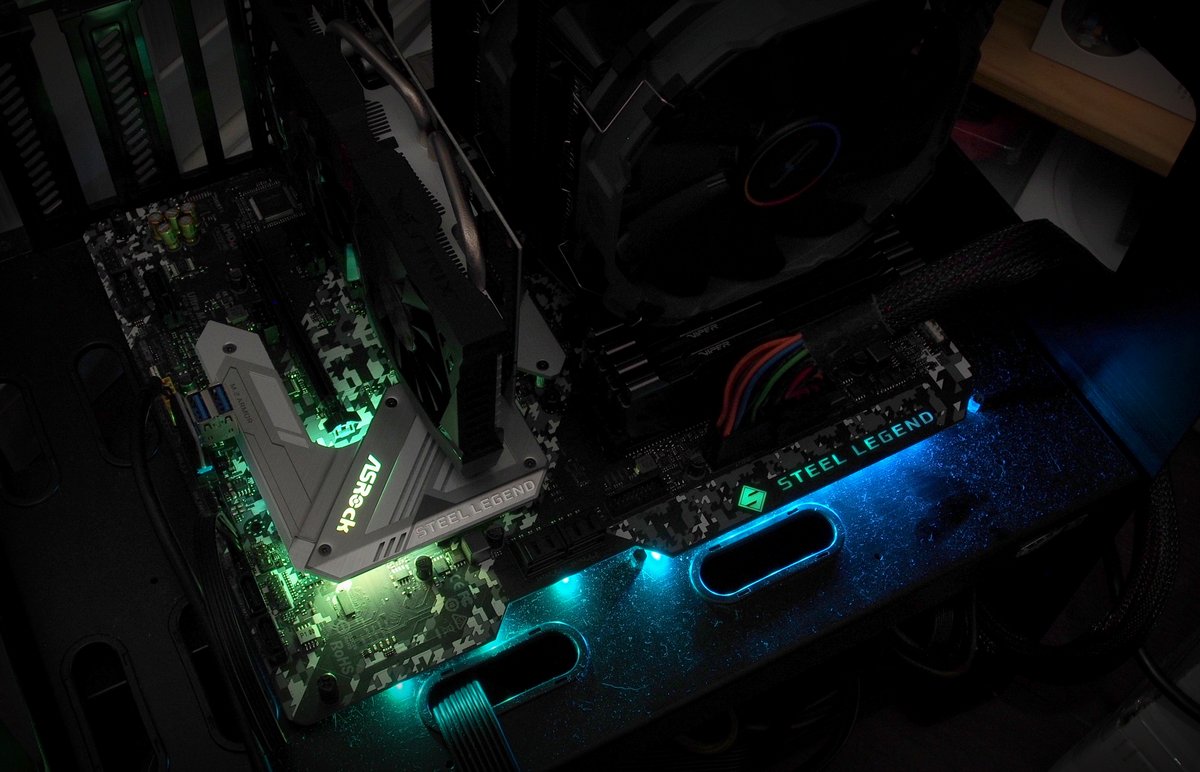
I/O 遮罩、PCH 散熱片、音效區塊與三組擴充針腳的效果可獨立設定
PCH 散熱片的燈珠也能個別指定顏色
https://csstalker.gjisland.net/blog/pics/2019-5-26/190524222628.jpg
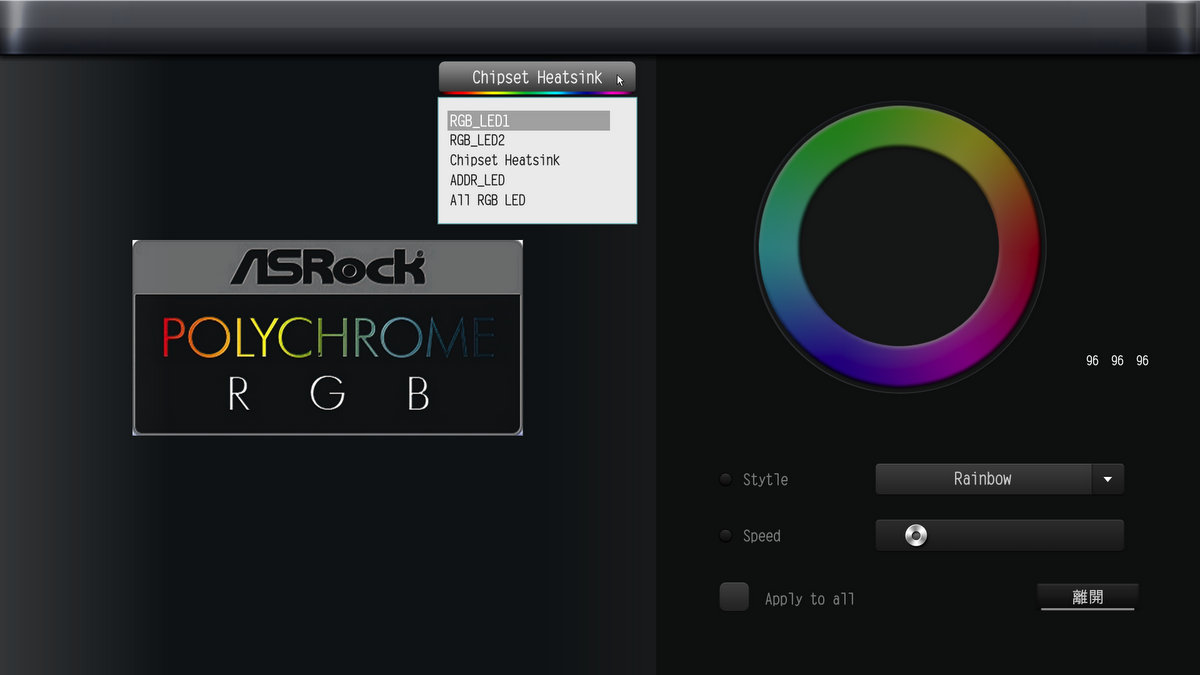
如果不想裝軟體,BIOS 介面下也有提供調整功能
https://csstalker.gjisland.net/blog/pics/2019-5-26/P5252259.JPG
就整體來說 Z390 Steel Legend 算是一張中規中矩的板子
供電配置相對適合想要搭配 9600k 或是 9700k 的使用者
記憶體頻率支援也默默的來到 DDR4-4200
特殊外型與 RGB 設計也讓以往較為低調的 ASRock 主機板有更多發揮空間
針對目前越來越多人選用雙 NVMe SSD 的系統碟與遊戲碟組合
Z390 Steel Legend 也補齊了第二組的 SSD 散熱片,增加選購型號的彈性
如果要說有什麼比較顯著的缺點,大概就是第二組散熱片的拆裝稍微麻煩一些
其他像是狀態除錯燈號的導入對於組裝新手來說會有比較親切的使用體驗
適合預算有限但又想要稍微超頻的遊戲機使用
--
~宅男的四個徵兆~
∠□ ○ ! * \○/ ★ (○ ?
╦╦└□ " ○□═ □ □>
║║√√ ╦══╦ ∥ |\
一回家就上PTT 每天想正妹 以當好人為樂 忘記正妹虧欠自己
--
※ 發信站: 批踢踢實業坊(ptt.cc), 來自: 36.230.146.177 (臺灣)
※ 文章網址: https://www.ptt.cc/bbs/PC_Shopping/M.1559960932.A.E66.html
推
06/08 10:36,
6年前
, 1F
06/08 10:36, 1F
390 的話應該是吧, 除非 msi 哪天又出什麼 krait 還是 mortar titanium
還是 asus 突然想到以前 sabertooth 有白的, 不過現在 tuf gaming 弄那樣應該是困難
推
06/08 11:11,
6年前
, 2F
06/08 11:11, 2F
推
06/08 11:26,
6年前
, 3F
06/08 11:26, 3F
→
06/08 11:27,
6年前
, 4F
06/08 11:27, 4F
→
06/08 11:27,
6年前
, 5F
06/08 11:27, 5F
→
06/08 11:36,
6年前
, 6F
06/08 11:36, 6F
→
06/08 11:36,
6年前
, 7F
06/08 11:36, 7F
推
06/08 12:26,
6年前
, 8F
06/08 12:26, 8F
→
06/08 12:27,
6年前
, 9F
06/08 12:27, 9F
推
06/08 12:33,
6年前
, 10F
06/08 12:33, 10F
※ 編輯: jack089452 (36.230.146.177 臺灣), 06/09/2019 02:26:25