[開箱] Cryorig R1 Ultimate 散熱器開箱
http://shadowsfalltw.gjisland.net/blog/?p=2978
--
Cryorig R1 系列分有兩種不同面向的產品,一種是追求最大平台相容性的 R1 Universal
;另一種則是這次開箱主角,效能最大化的 R1 Ultimate。
產品外箱:彩盒外包裝,同時說明基本規格與相容平台。
http://shadowsfalltw.gjisland.net/pic/cryorigr1ul/DSC_9730.JPG


這次的贈品,R1 Ultimate 贈送的 XF140 厚扇,與加買的薄扇,R1 Universal 的贈品
XT140:
http://shadowsfalltw.gjisland.net/pic/cryorigr1ul/DSC_9735.JPG

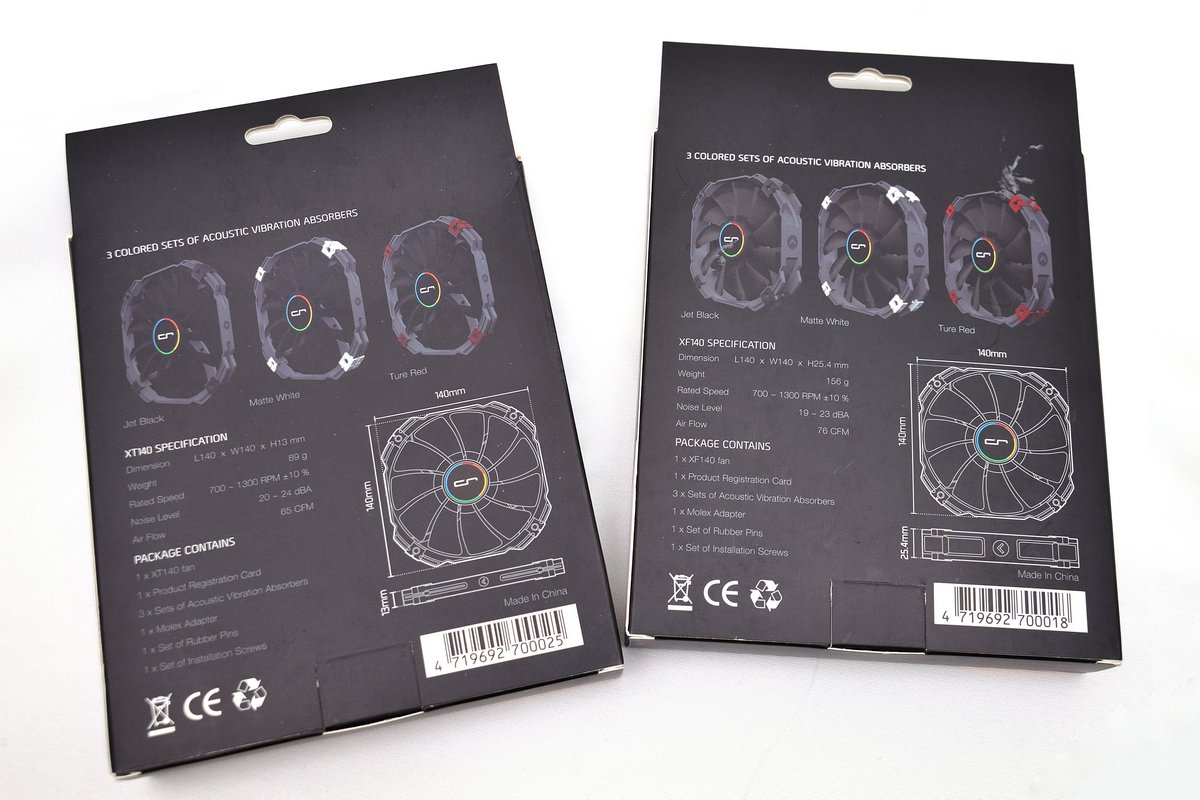
本體與贈品一覽:風扇本身包裝也相當用心,配件也相當齊全以紙盒包裝,有不同色彩的
橡皮減振墊、安裝用的橡皮拉釘、螺絲與轉接線。
http://shadowsfalltw.gjisland.net/pic/cryorigr1ul/DSC_9741.JPG


橡膠減震墊拆下的樣子與裝著的示意:
http://shadowsfalltw.gjisland.net/pic/cryorigr1ul/DSC_9743.JPG


內部包裝與配件:整個包裝相當的細心,零配件盒有獨立的間隔隔開,配件部分也相當豪
華,除了通用扣具外,同時也贈送了完整包裝的散熱膏、風扇減震墊與鐵絲扣,另外也贈
送一支方便安裝的螺絲起子
http://shadowsfalltw.gjisland.net/pic/cryorigr1ul/DSC_9752.JPG


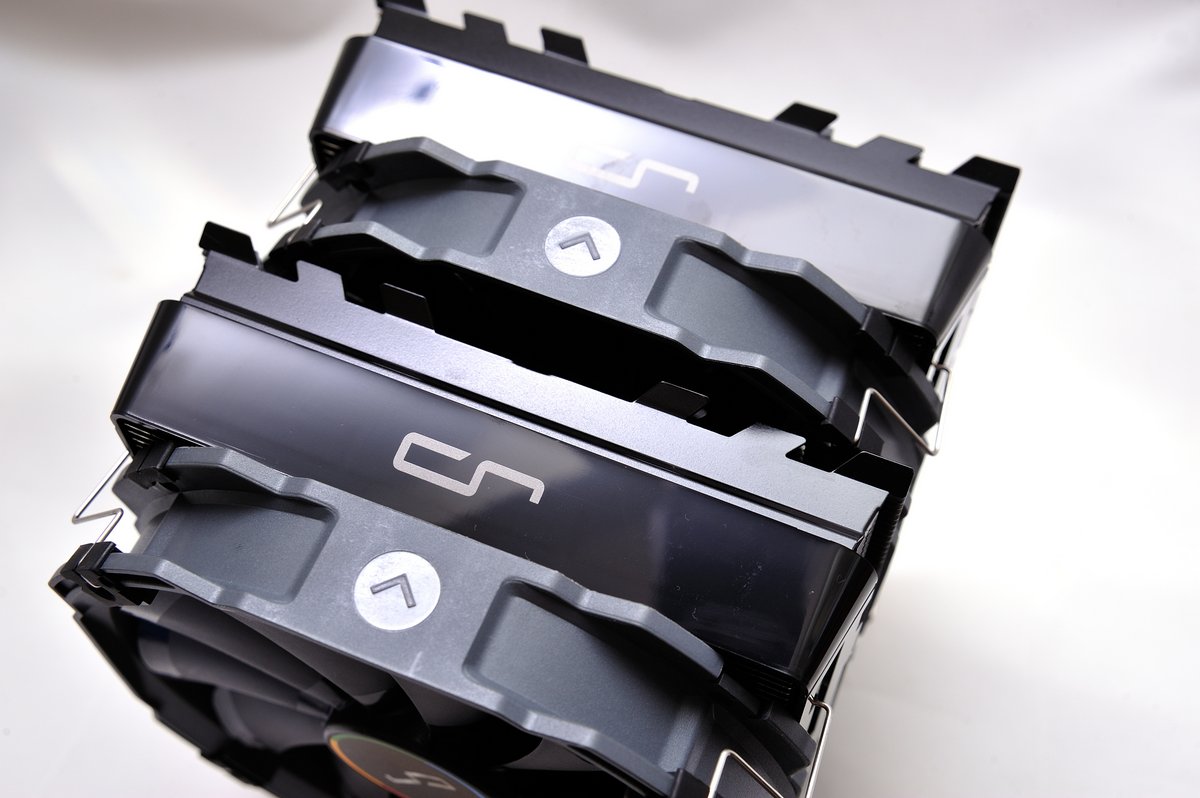
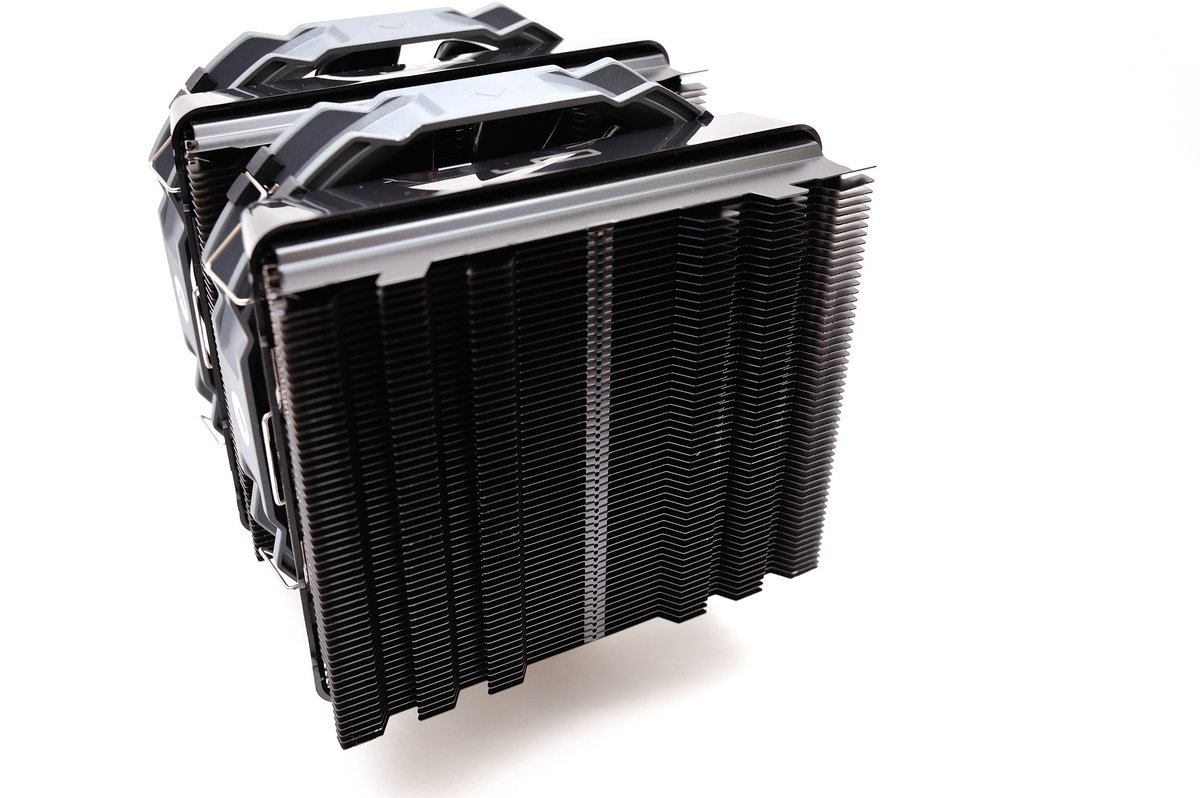
本體一覽:R1 Ultimate為黑化設計,不過風罩下散熱片則無黑化,可能是增加散熱效率
與美觀的折衷作法;風罩上有CR的公司LOGO,出場搭載的風扇則是兩顆 XF140。
http://shadowsfalltw.gjisland.net/pic/cryorigr1ul/DSC_9755.JPG


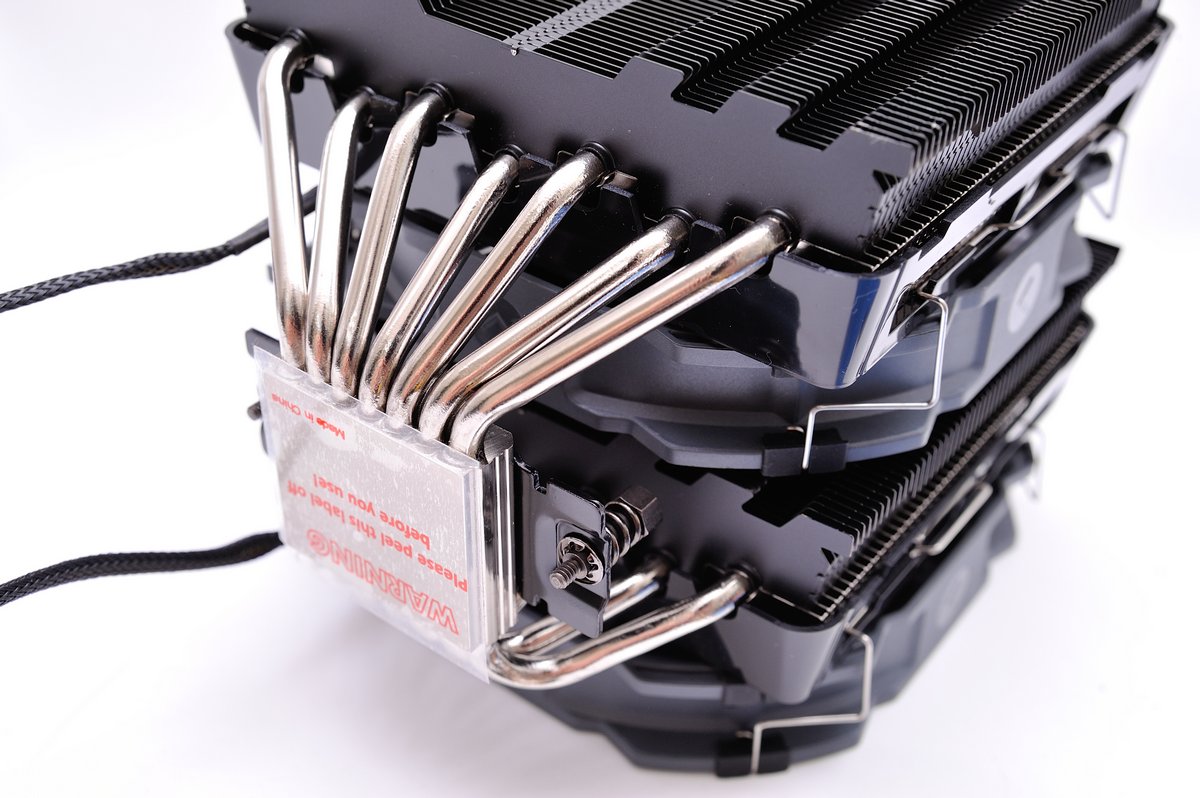
底座部分,扣具已經先行固定在散熱器上;導管總量來到七根,在底部平整度也有達到一
定的水準。
http://shadowsfalltw.gjisland.net/pic/cryorigr1ul/DSC_9762.JPG

接下來就直接試裝,安裝底板時需要注意上半部扣具螺絲柱的方向,突出部應該是遠離主
機板;若是顛倒可能會使扣具受損,甚至傷害主機板,日本已經有相關案例,代理商也特
別發出通知。其餘部分並沒有太多的困難,只要使用附贈的螺絲起子即可依指示輕鬆安裝
。
http://shadowsfalltw.gjisland.net/pic/cryorigr1ul/DSC_9767.JPG

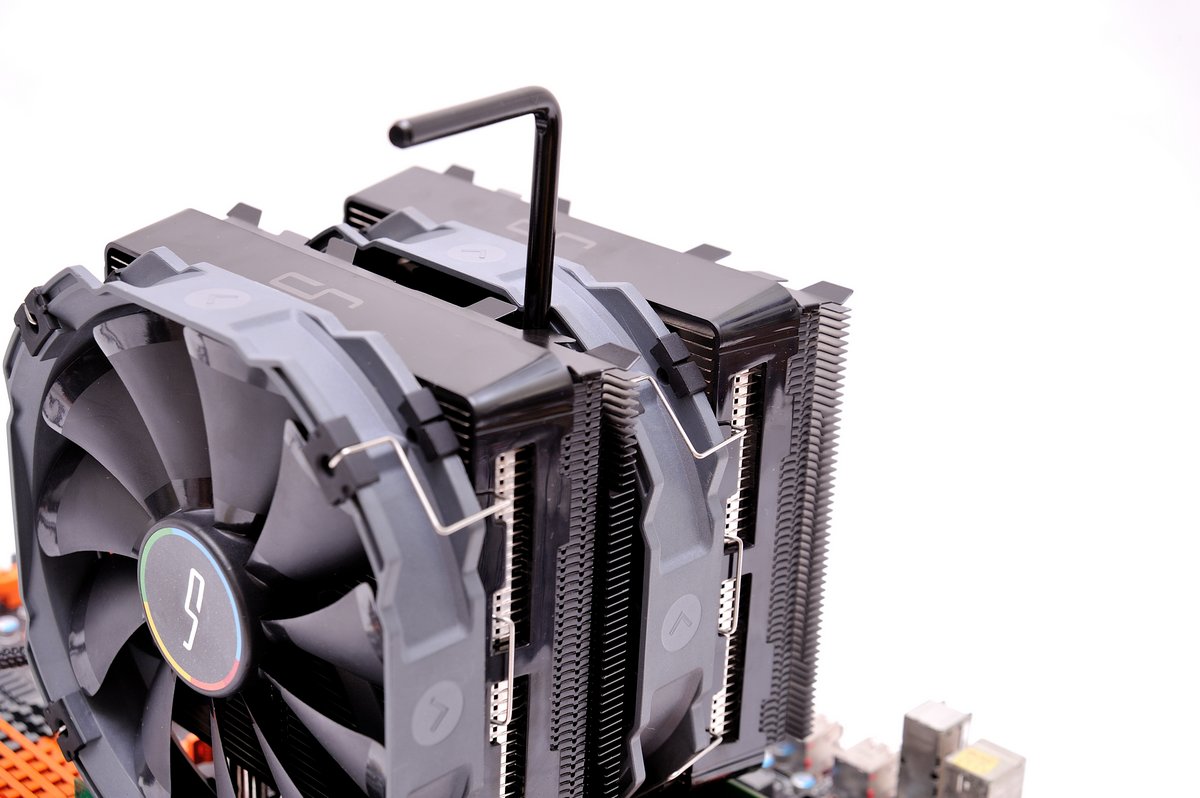

雖說 R1 UL 是相容性上有些讓步的產品,不過可以看到在我使用的 X79 主板上並沒有太
大的困擾,記憶體位置還算剛好,不過可能有散熱片的款式使用上應該就有些困難。
http://shadowsfalltw.gjisland.net/pic/cryorigr1ul/DSC_9774.JPG


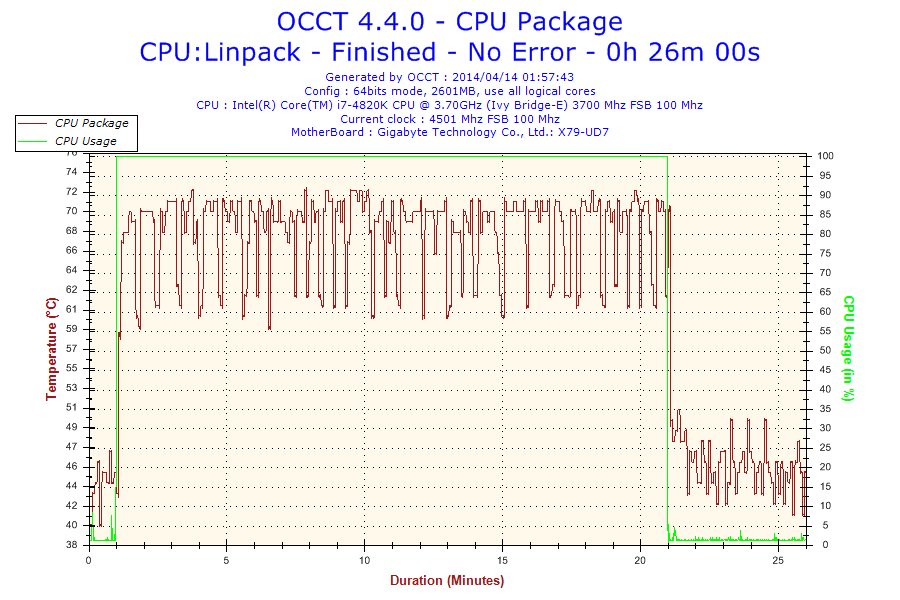
測試室溫30度的房間進行,使用 OCCT 進行 LINPACK測試並輸
出圖形,進行測試的對照基準則是相當廣泛使用的 Venomus X 配上一顆 ADDA 2000轉
PWM 扇,讓主機板自動進行控溫。
測試平台設定:
http://shadowsfalltw.gjisland.net/pic/cryorigr1ul/sys.JPG

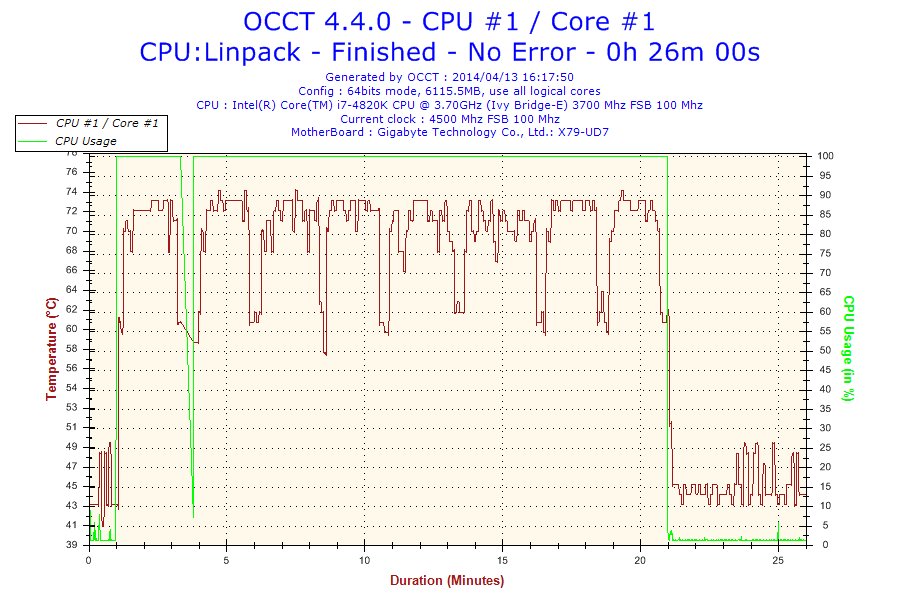

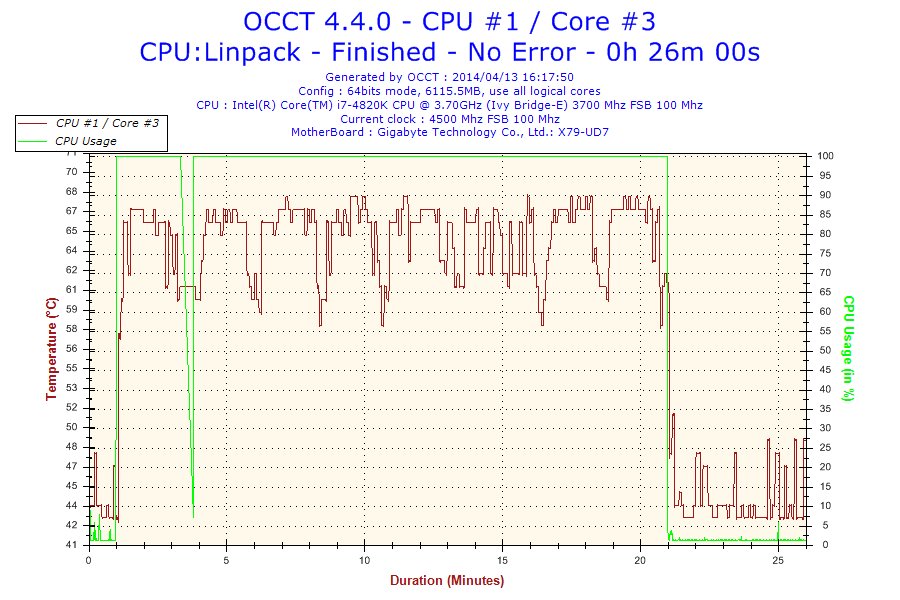


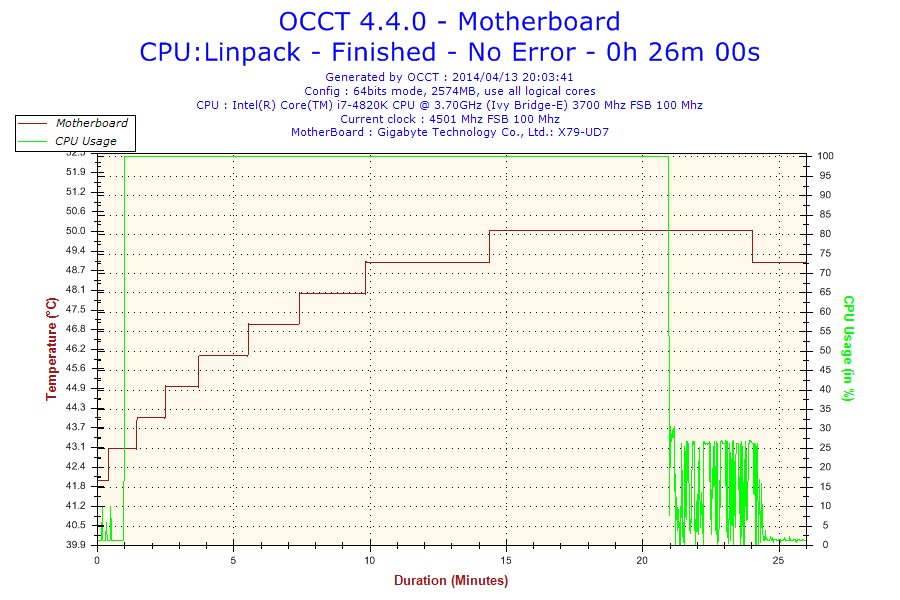
R1 Ultimate,風扇全速:
http://shadowsfalltw.gjisland.net/pic/cryorigr1ul/r1fscore1.jpg



--
做工,設計集三家大成,精品。
--
4776 m 2/23 lightwee □ 我也要
4777 m 2/23 Tamama56 □ 接在光菱後面
4778 2/23 RHTZ □ 高潮
--
※ 發信站: 批踢踢實業坊(ptt.cc), 來自: 220.141.88.176
※ 文章網址: http://www.ptt.cc/bbs/PC_Shopping/M.1397416213.A.9DF.html
推
04/14 09:41, , 1F
04/14 09:41, 1F
→
04/14 10:58, , 2F
04/14 10:58, 2F
→
04/14 13:04, , 3F
04/14 13:04, 3F
推
04/14 13:50, , 4F
04/14 13:50, 4F
→
04/14 13:50, , 5F
04/14 13:50, 5F
→
04/14 13:50, , 6F
04/14 13:50, 6F
→
04/14 14:05, , 7F
04/14 14:05, 7F
→
04/14 14:18, , 8F
04/14 14:18, 8F
→
04/14 14:32, , 9F
04/14 14:32, 9F
→
04/14 14:32, , 10F
04/14 14:32, 10F
→
04/14 14:33, , 11F
04/14 14:33, 11F
→
04/14 14:35, , 12F
04/14 14:35, 12F
→
04/14 14:37, , 13F
04/14 14:37, 13F
→
04/14 14:41, , 14F
04/14 14:41, 14F
→
04/14 15:36, , 15F
04/14 15:36, 15F
→
04/14 15:36, , 16F
04/14 15:36, 16F
→
04/14 15:36, , 17F
04/14 15:36, 17F
→
04/14 15:43, , 18F
04/14 15:43, 18F
→
04/14 15:43, , 19F
04/14 15:43, 19F
推
04/16 15:45, , 20F
04/16 15:45, 20F