[開箱] 穩定中求效能 ASUS SABERTOOTH X79主機板
我也要軍規 好讀版
http://www.xfastest.com/viewthread.php?tid=67981&fromuid=38227
後備好讀版
http://www.xfastest.com/cms/tid-67981/
==============================================================================
華碩這命名為劍齒虎(Sabertooth)的主機板,主要訴求就在在高耐用度。
大量採用穩定的軍規級用料,並經過嚴苛的環境測試。
在此次Intel X79主機板中ASUS的SABERTOOTH也沒缺席。
包裝與配件
http://picx.xfastest.com/XF/MB/ASUS/TUF_X79/TUF-X79-01.jpg
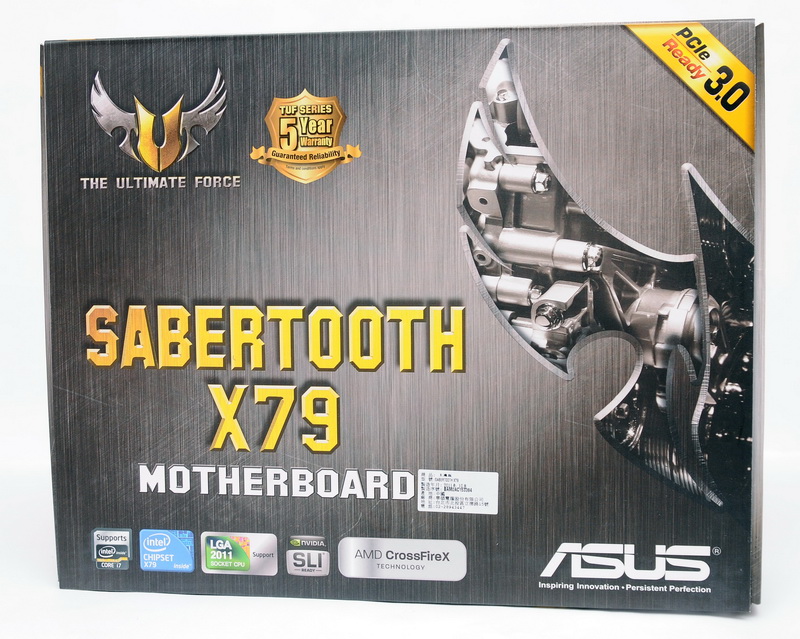
▲ASUS SABERTOOTH 主機板包裝
http://picx.xfastest.com/XF/MB/ASUS/TUF_X79/TUF-X79-02.jpg

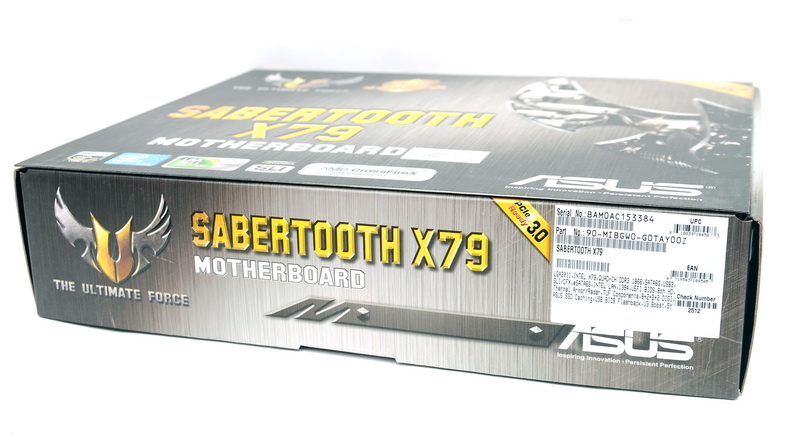
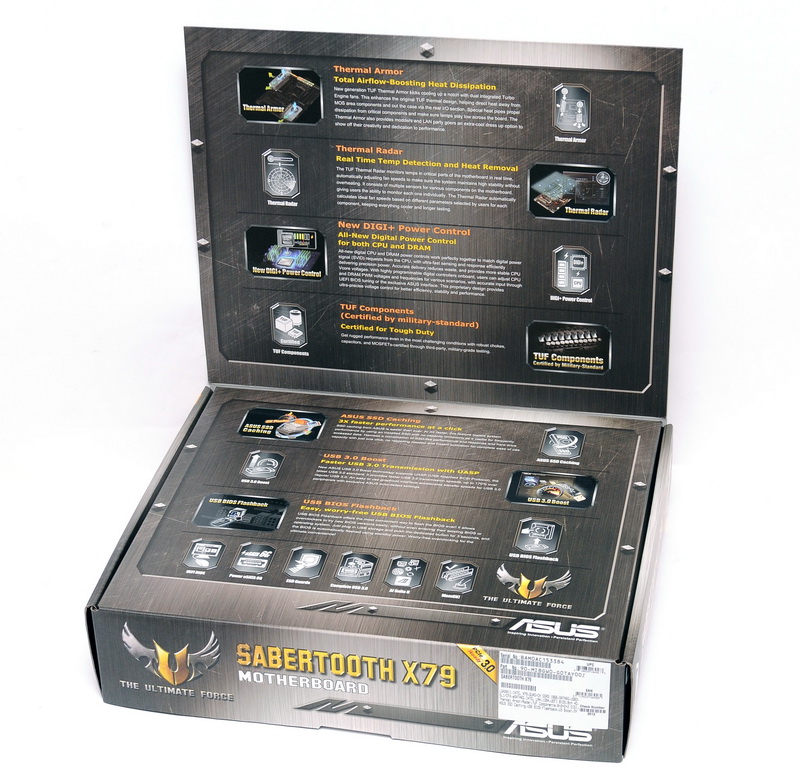
▲掀開上蓋,內部有更多的特色功能介紹
http://picx.xfastest.com/XF/MB/ASUS/TUF_X79/TUF-X79-05.jpg

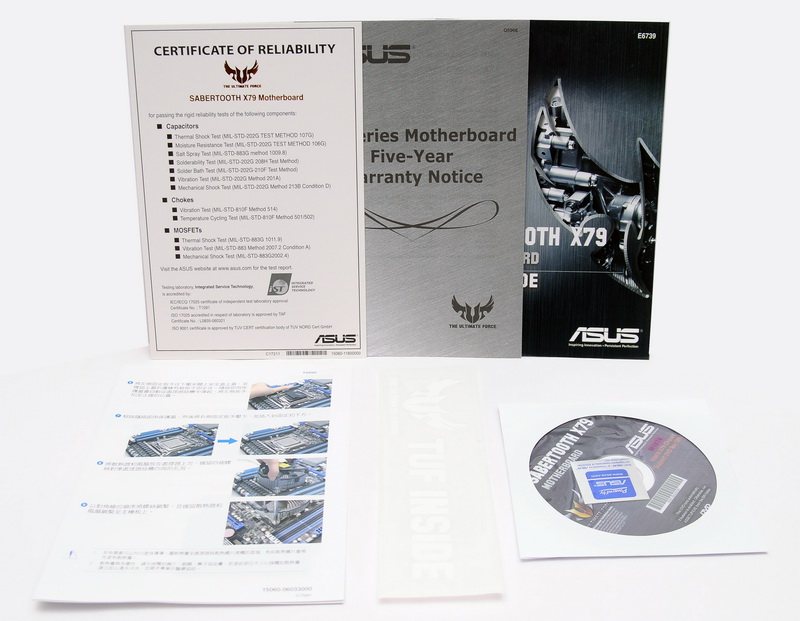
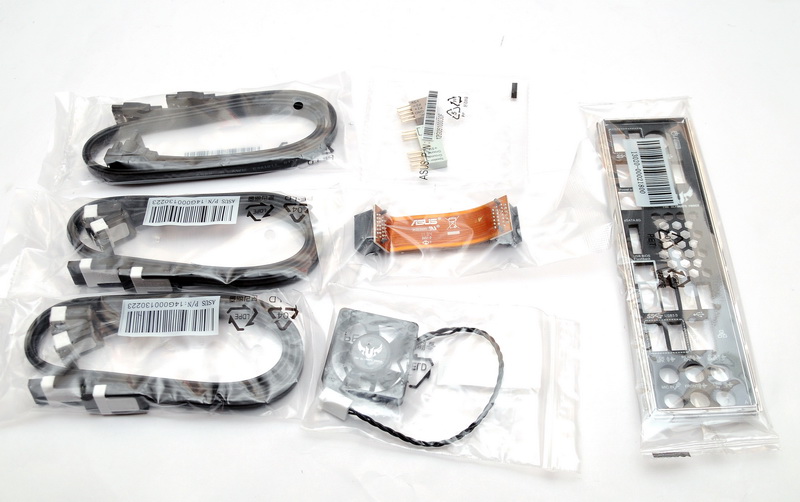
▲軍規料件證書、5年保固說明書,還有"TUF Inside"貼紙
http://picx.xfastest.com/XF/MB/ASUS/TUF_X79/TUF-X79-07.jpg

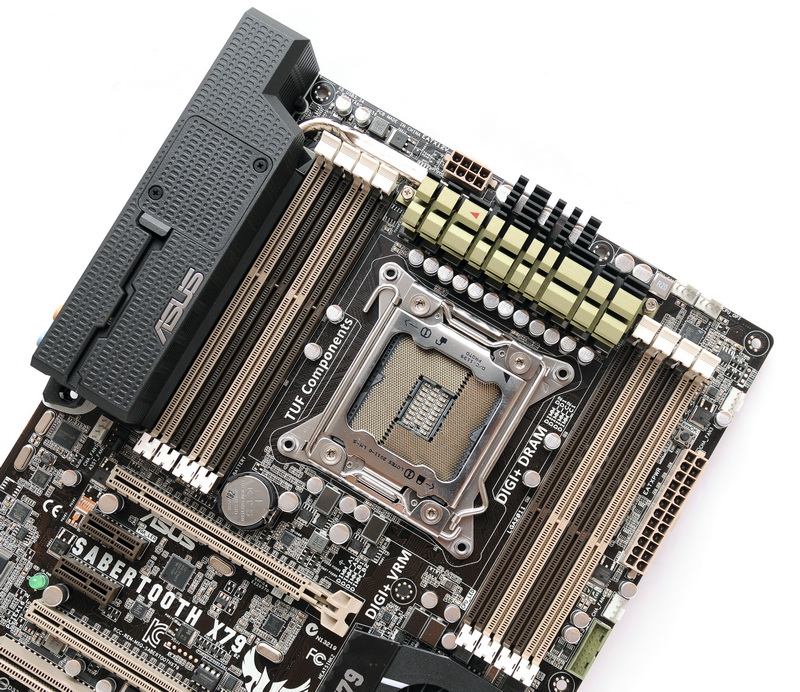
▲主機板正面全貌,迷彩式的配色
http://picx.xfastest.com/XF/MB/ASUS/TUF_X79/TUF-X79-09.jpg
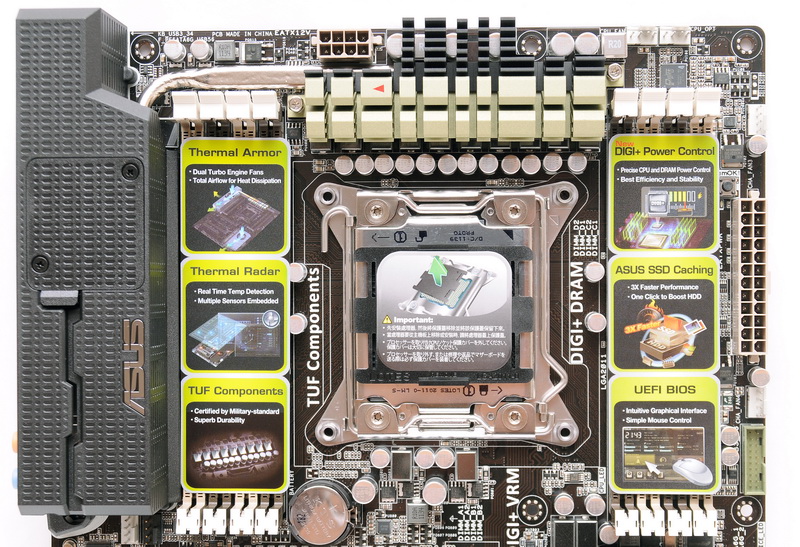
▲CPU Socket保護說明
http://picx.xfastest.com/XF/MB/ASUS/TUF_X79/TUF-X79-10.jpg


▲使用EPS 8 pin供電
http://picx.xfastest.com/XF/MB/ASUS/TUF_X79/TUF-X79-13.jpg
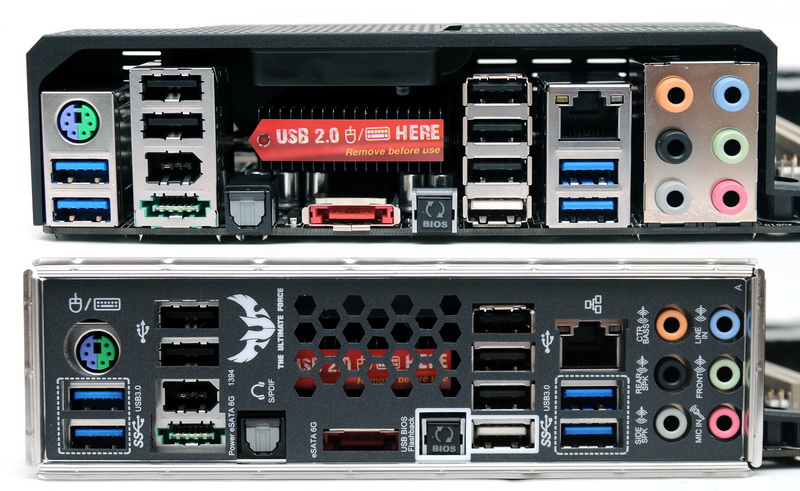
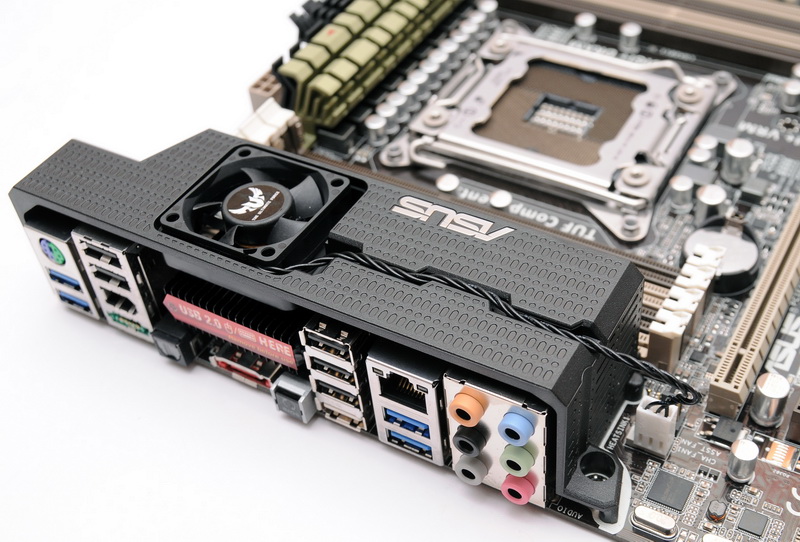
▲I/O Port有保留一個區塊提供MOSFET的散熱鰭片風扇排風使用
http://picx.xfastest.com/XF/MB/ASUS/TUF_X79/TUF-X79-14.jpg

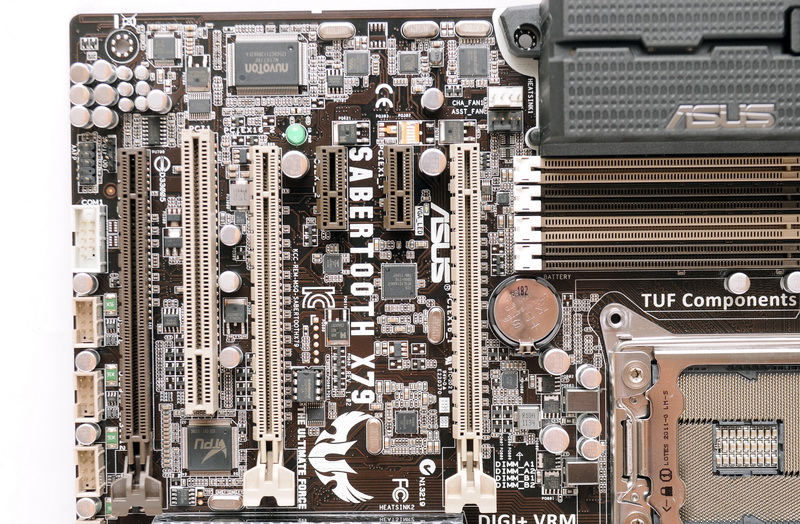
▲擴充卡插槽有2組PCI-E x16、2組PCI-E x1、1組PCI-E x8(可安裝x16的擴充卡)、1組PCI
http://picx.xfastest.com/XF/MB/ASUS/TUF_X79/TUF-X79-17.jpg
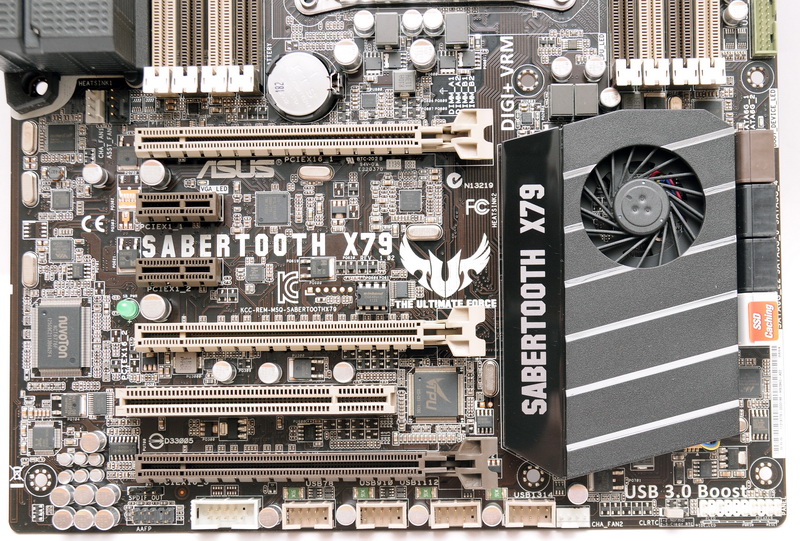
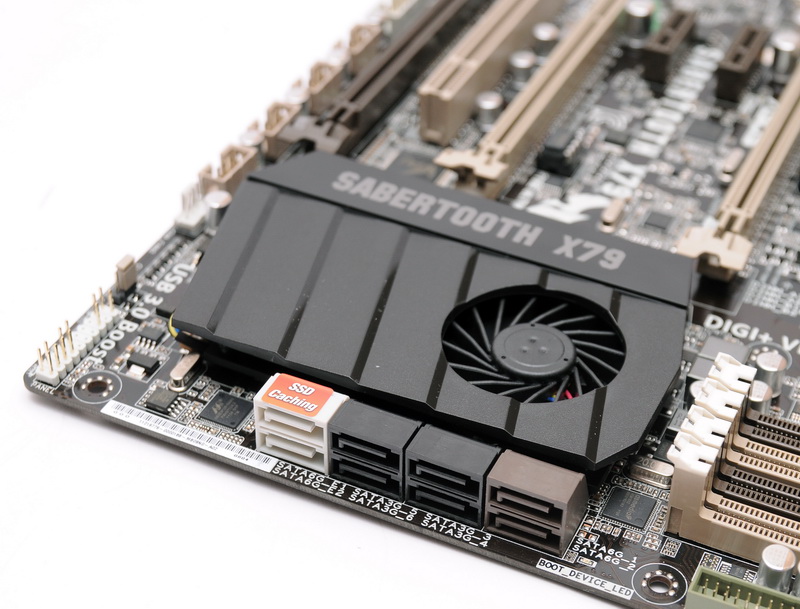
▲除了X79原生的2個SATA 6Gb/s與4個SATA 3Gb/s Port之外,
SABERTOOTH X79額外提供2個SATA 6Gb/s Port,並支援SSD Caching
http://picx.xfastest.com/XF/MB/ASUS/TUF_X79/TUF-X79-19.jpg
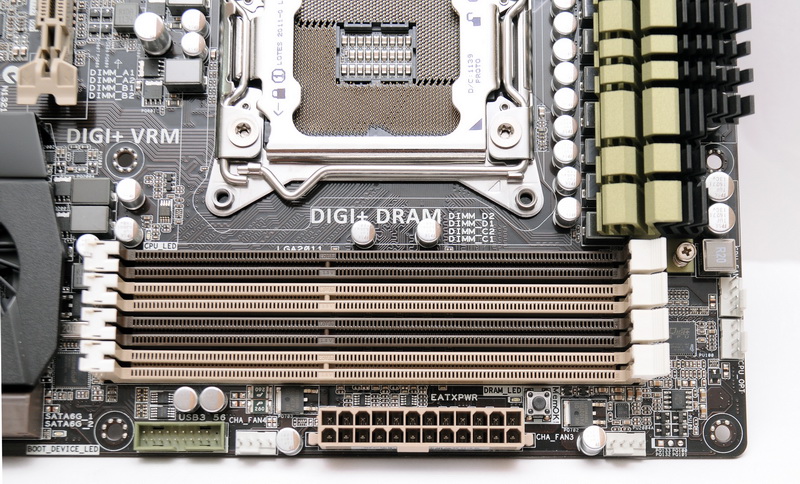
▲內接式USB 3.0插座位於ATX電源插座旁
http://picx.xfastest.com/XF/MB/ASUS/TUF_X79/TUF-X79-20.jpg
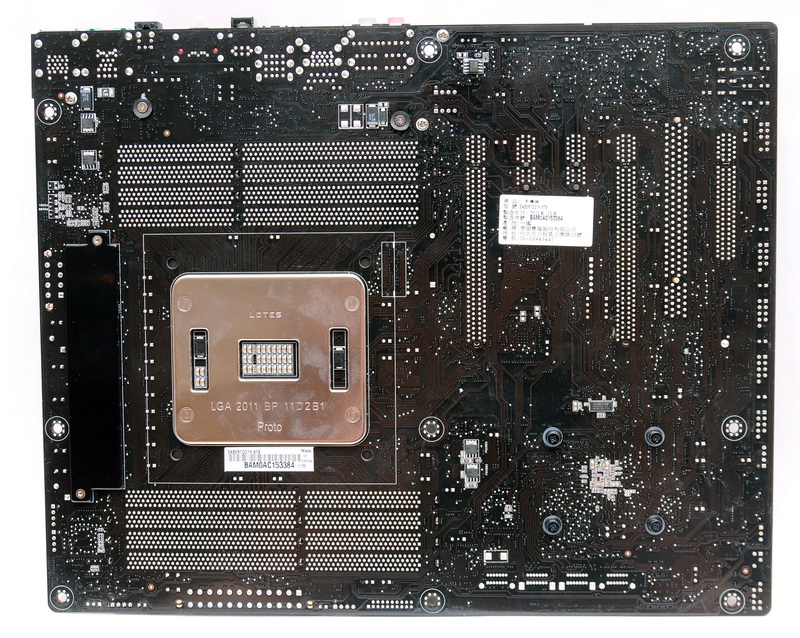
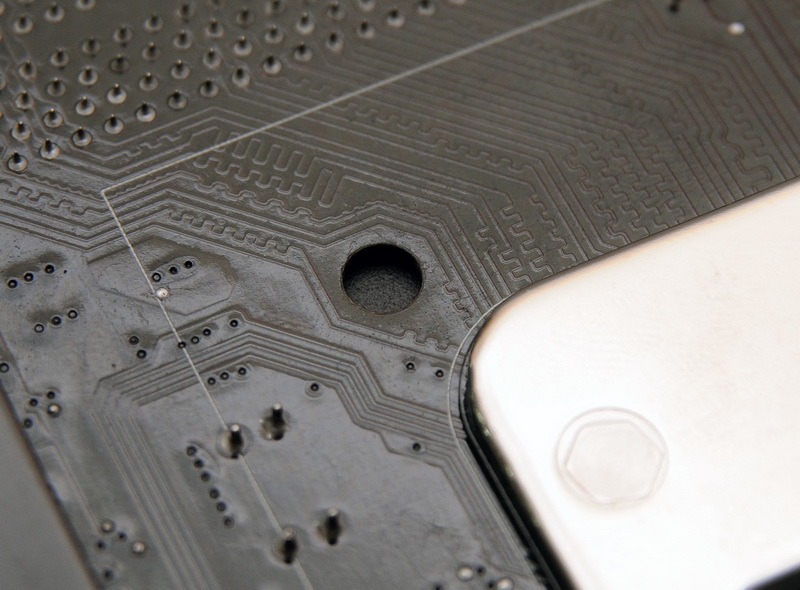
▲CPU Socket絕緣墊片
http://picx.xfastest.com/XF/MB/ASUS/TUF_X79/TUF-X79-22.jpg
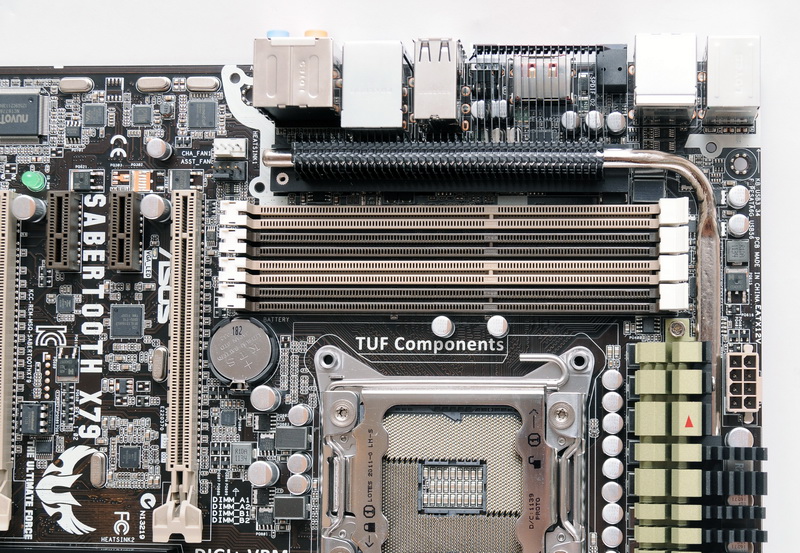
▲解開Thermal Armor可見熱導管與鰭片
http://picx.xfastest.com/XF/MB/ASUS/TUF_X79/TUF-X79-23.jpg

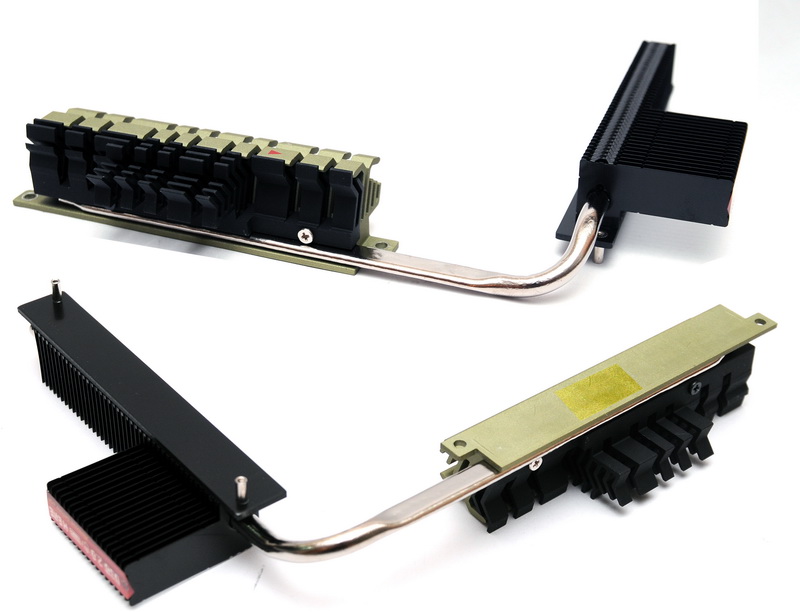
▲MOSFET散熱片表層經過CeraM!X技術處理,粗糙的觸感其實是為了增加散熱面積
http://picx.xfastest.com/XF/MB/ASUS/TUF_X79/TUF-X79-25.jpg
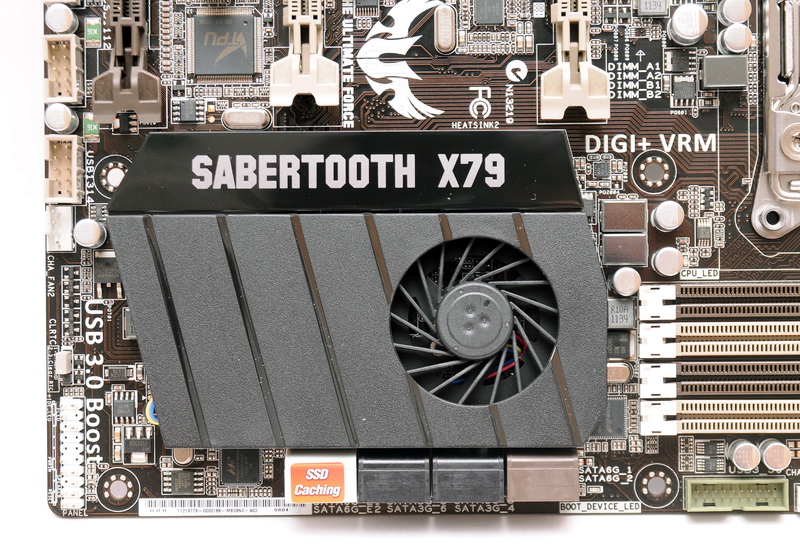
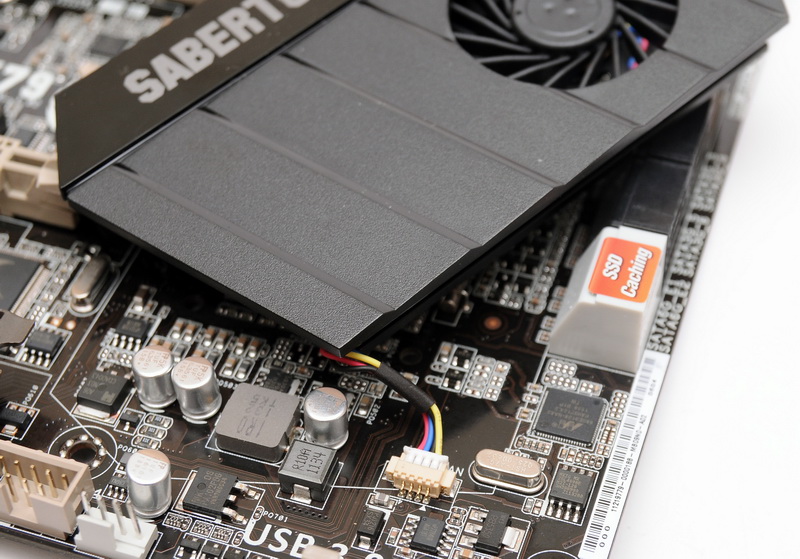
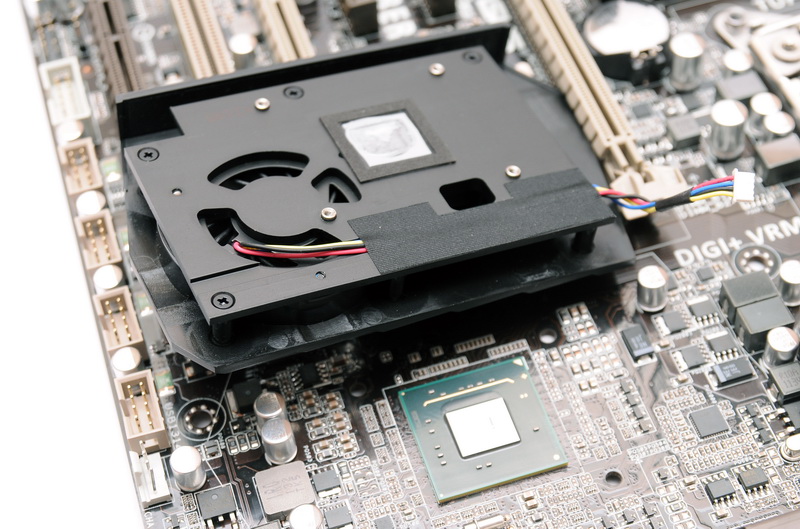
▲南橋PCH晶片的散熱片有附上風扇
http://picx.xfastest.com/XF/MB/ASUS/TUF_X79/TUF-X79-26.jpg

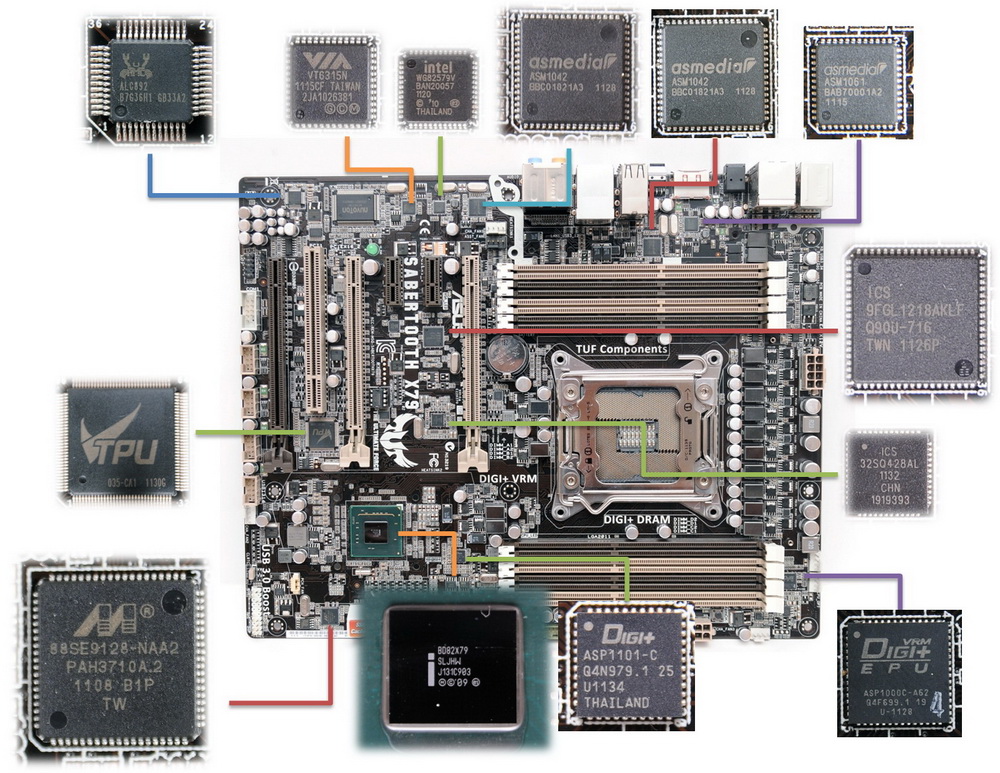

CPU: Intel Core i7-3960X
Cooler: Antec KUHLER H2O 920
Thermal Compound: Antec Formula 7
MB: ASUS SABERTOOTH X79
RAM: OCZ DDR3 PC3-12800 Platinum Edition 2GB*4 @ 1600MHz 7-7-7-21
Graphic: ASUS ENGTX580
Storage: Kingston SSD Now V+100 128GB
PSU: Antec HCP-1200W
Chassis: CoolerMaster Test Bench
Monitor: Dell U2410
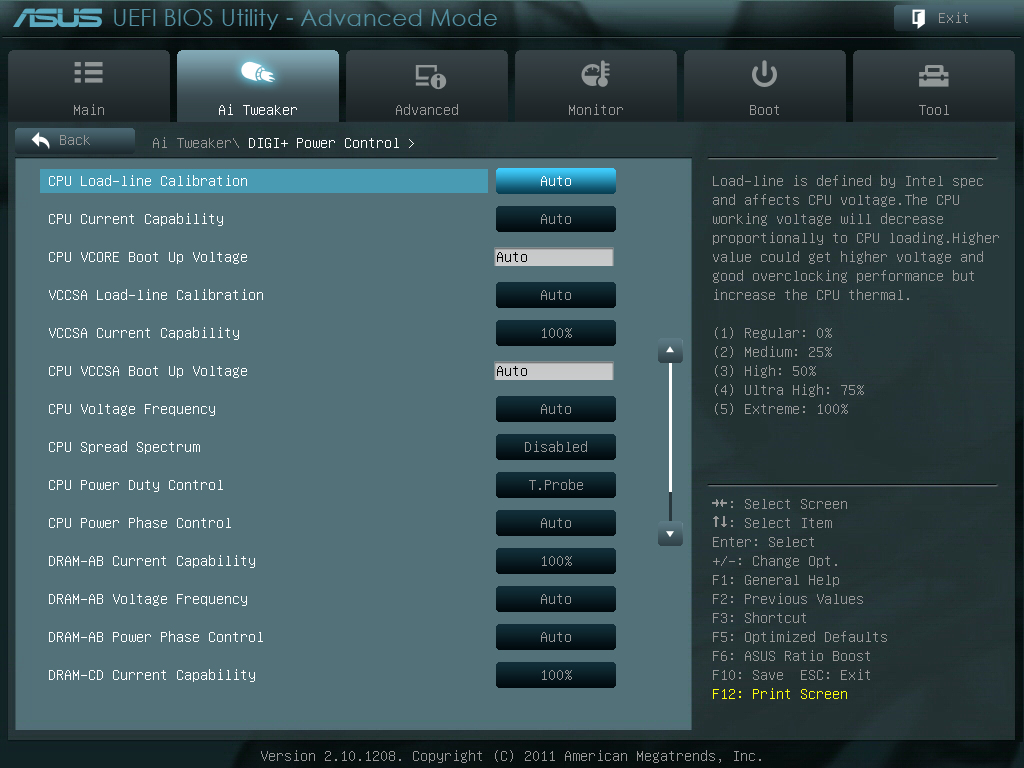
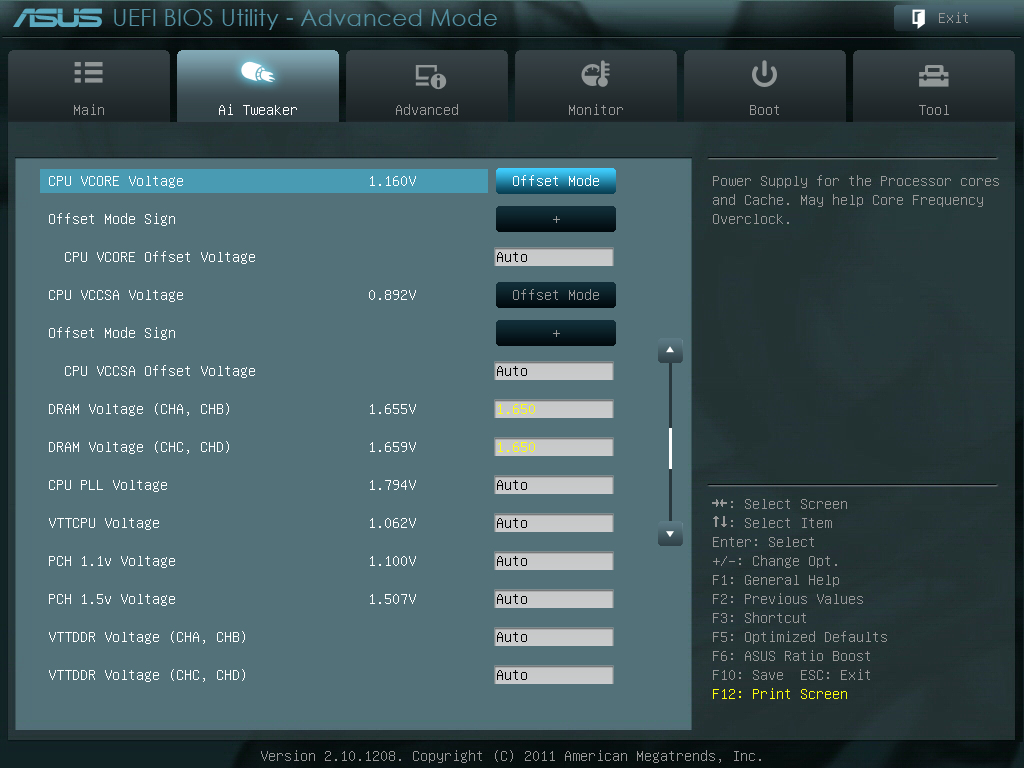
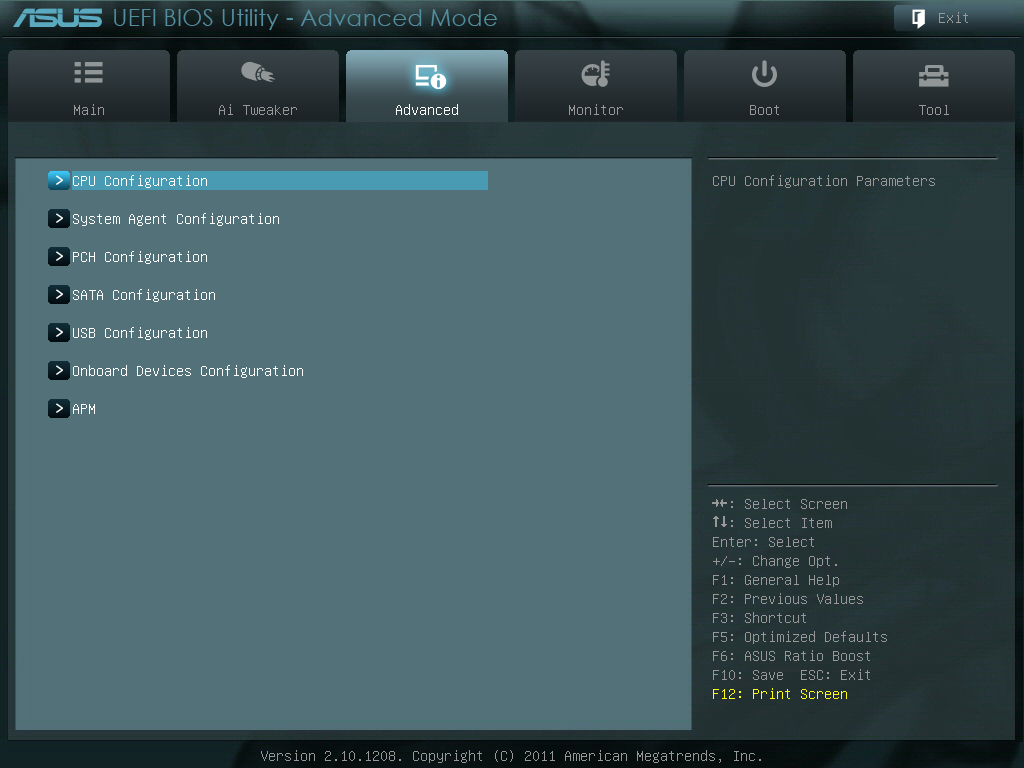
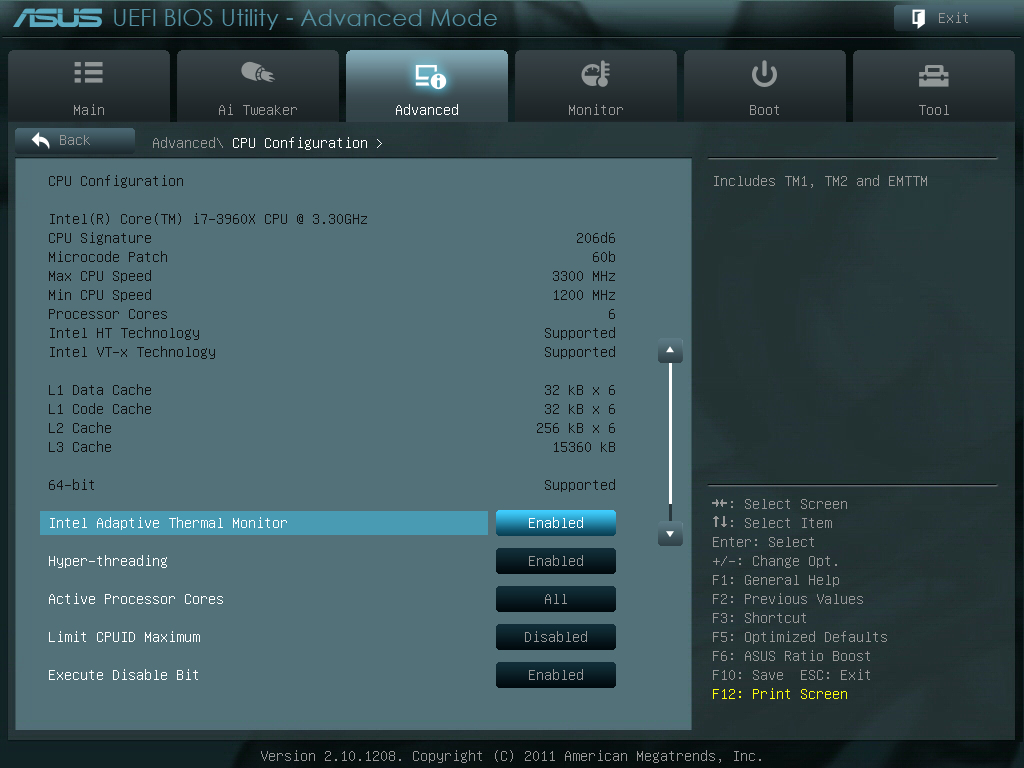
UEFI BIOS 畫面簡介
初始畫面為EZ Mode
http://picx.xfastest.com/elvis/MB/ASUS/SabertoothX79/BIOS-01.jpg
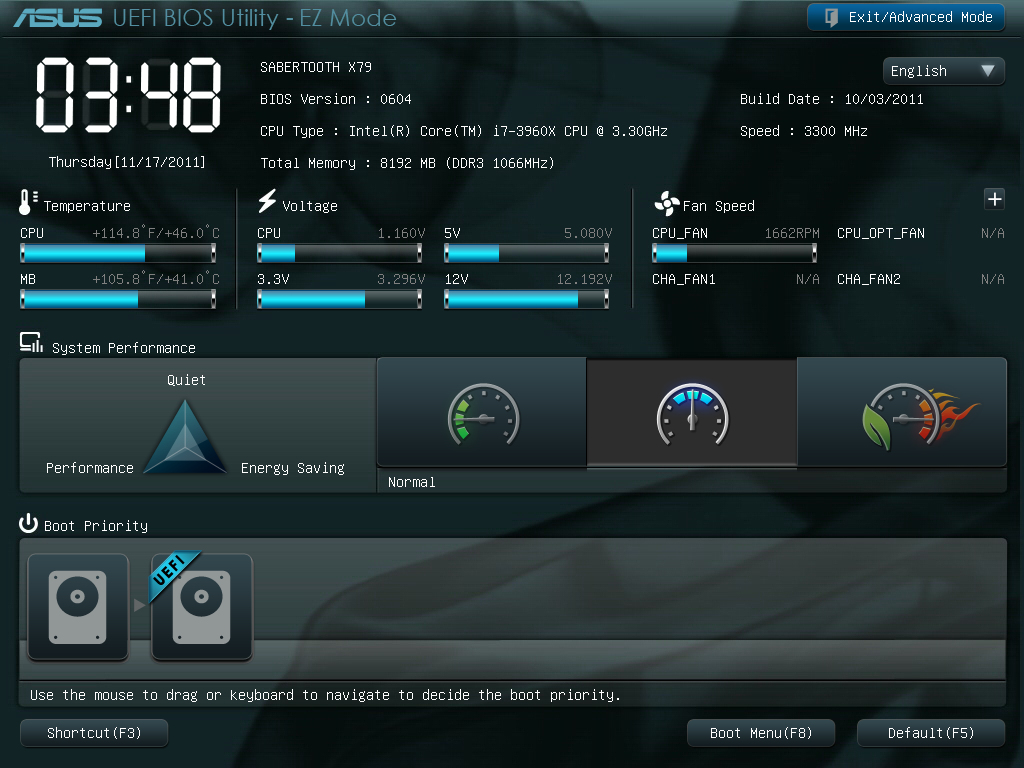
適合一般使用者簡單的操控
可切換至Advance Mode
http://picx.xfastest.com/elvis/MB/ASUS/SabertoothX79/BIOS-02.jpg

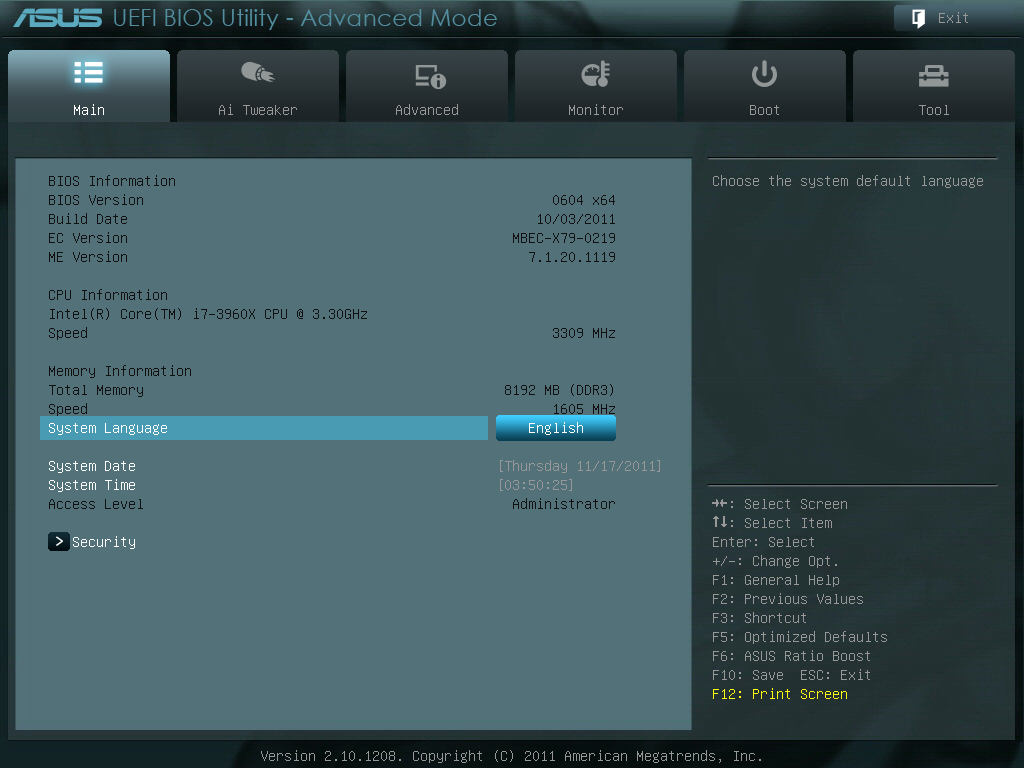
Ai Tweaker 超頻選單
http://picx.xfastest.com/elvis/MB/ASUS/SabertoothX79/BIOS-04.jpg


這次Sandy Bridge-E多了可調整的Bit Clock除頻,
只要設為手動超頻,就會出現CPU Strap的調整選項
http://picx.xfastest.com/elvis/MB/ASUS/SabertoothX79/BIOS-06.jpg
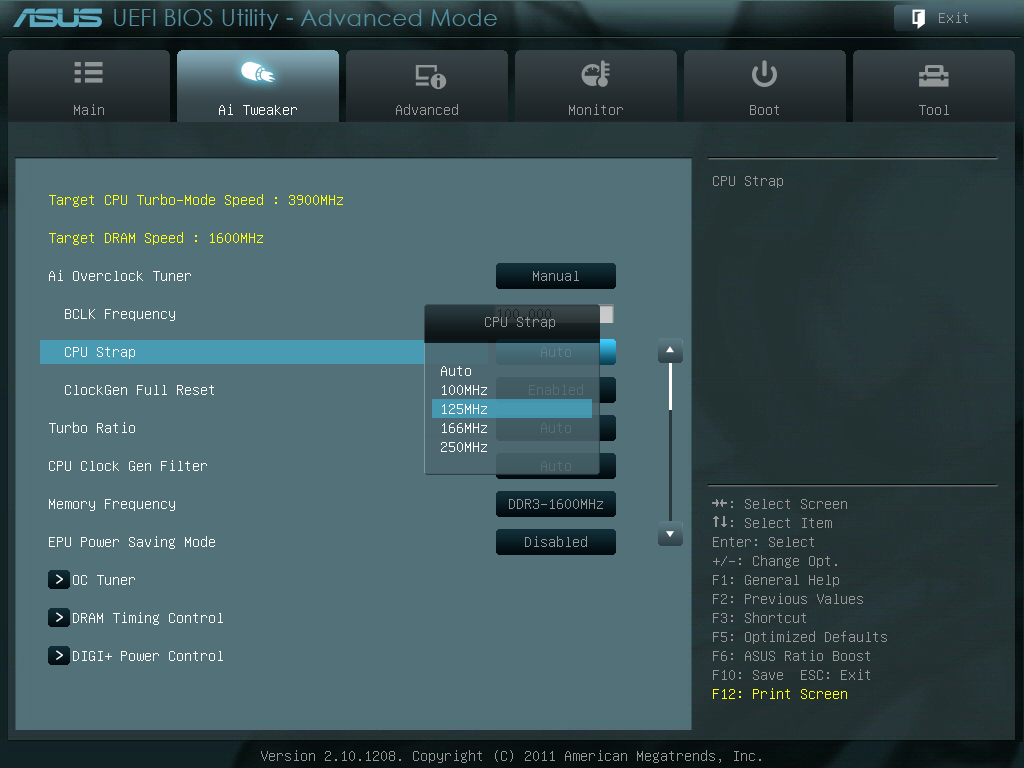
CPU Strap調整過後的記憶體時脈間距也會跟著變動
http://picx.xfastest.com/elvis/MB/ASUS/SabertoothX79/BIOS-07.jpg



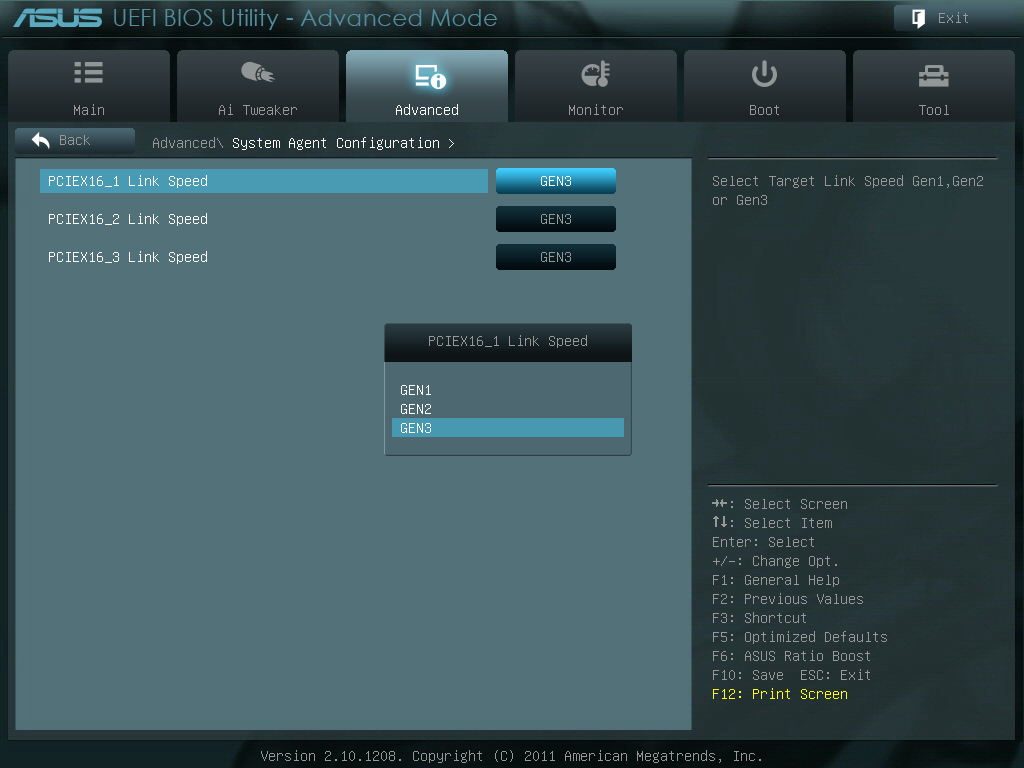
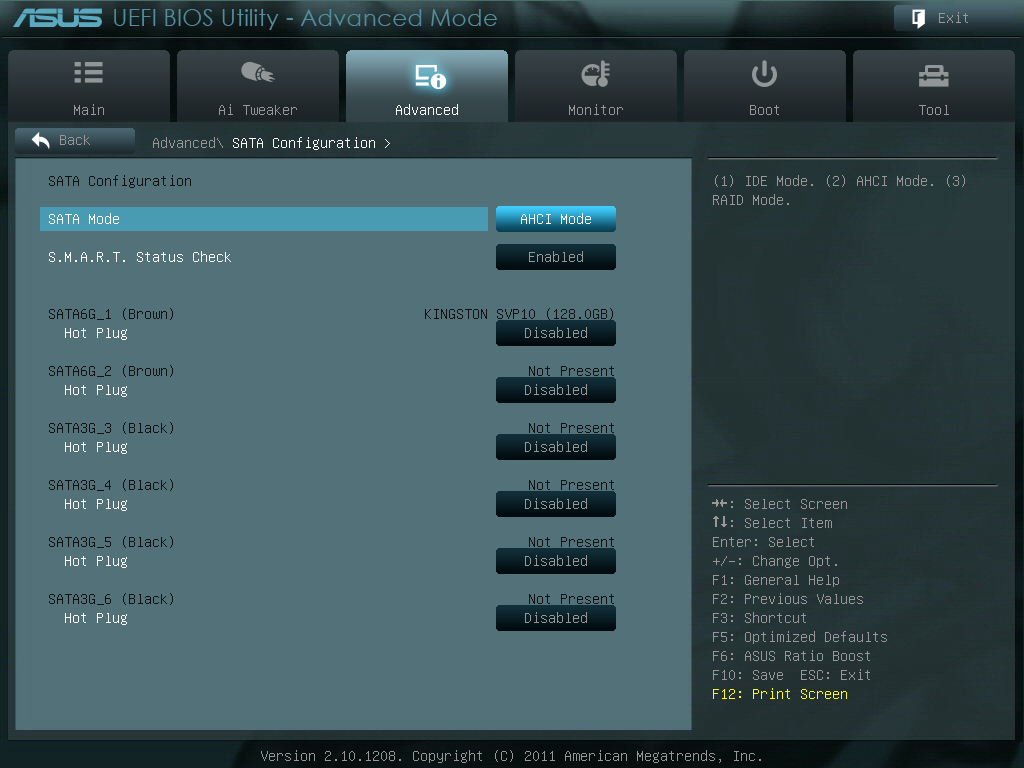

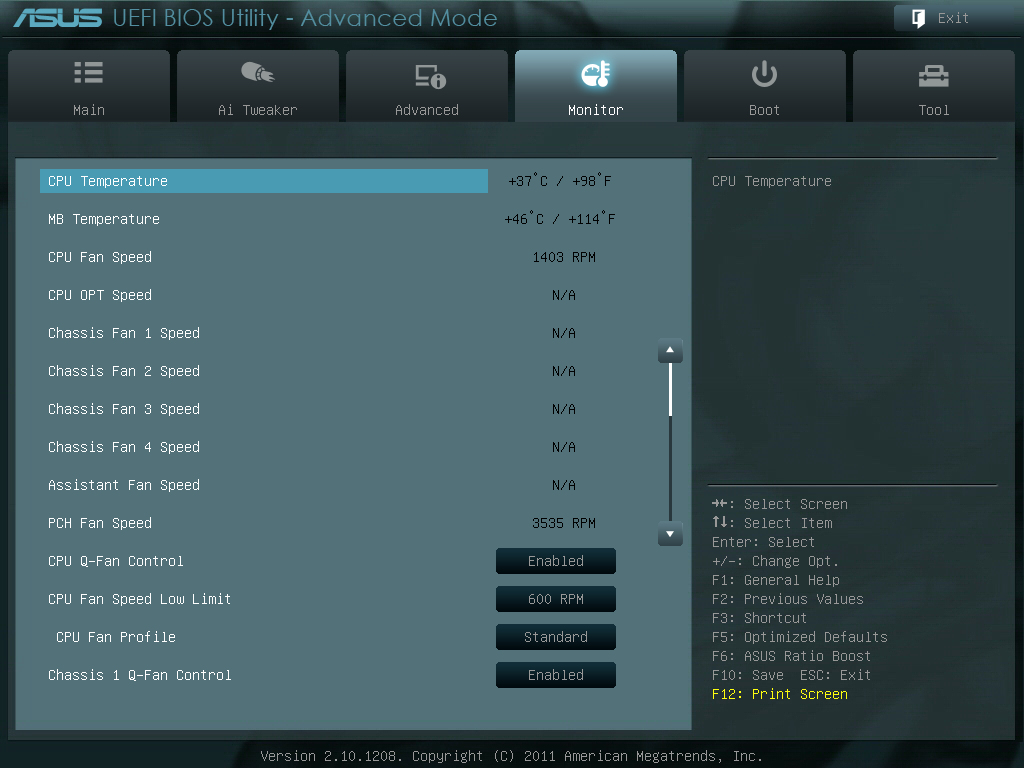
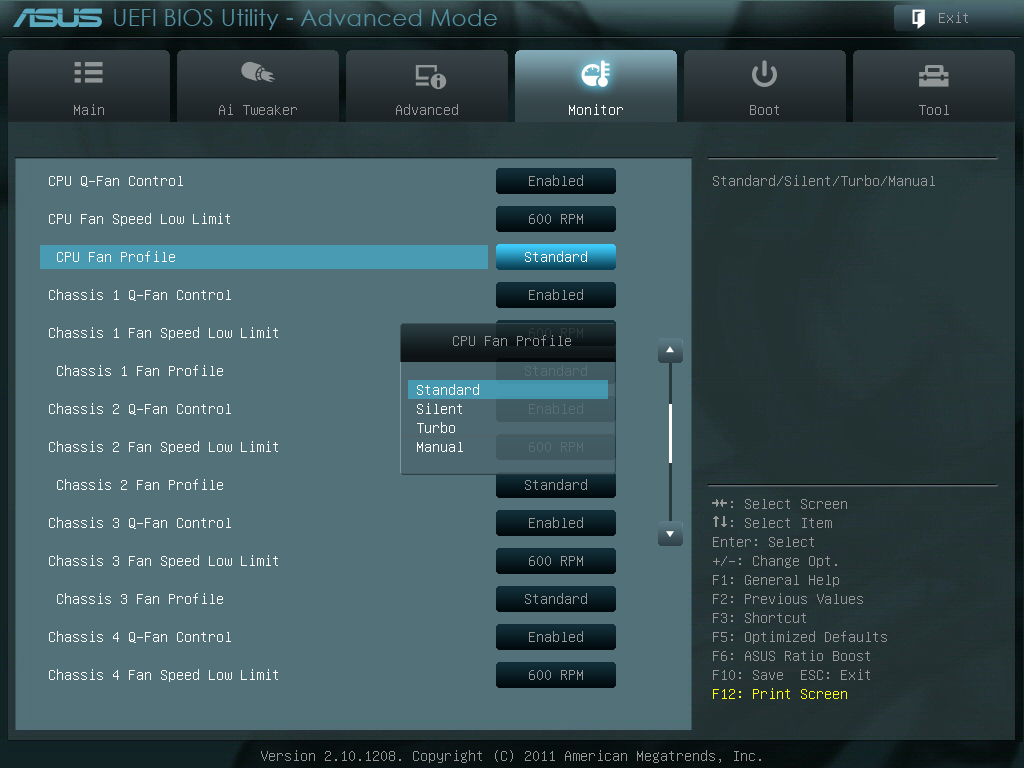

EZ Flash 2為BIOS更新模式,可直接讀取磁碟/隨身碟內的BIOS檔案進行升級
http://picx.xfastest.com/elvis/MB/ASUS/SabertoothX79/BIOS-20.jpg

記憶體狀況監控可檢視是否有掉DIMM的現象
http://picx.xfastest.com/elvis/MB/ASUS/SabertoothX79/BIOS-21.jpg

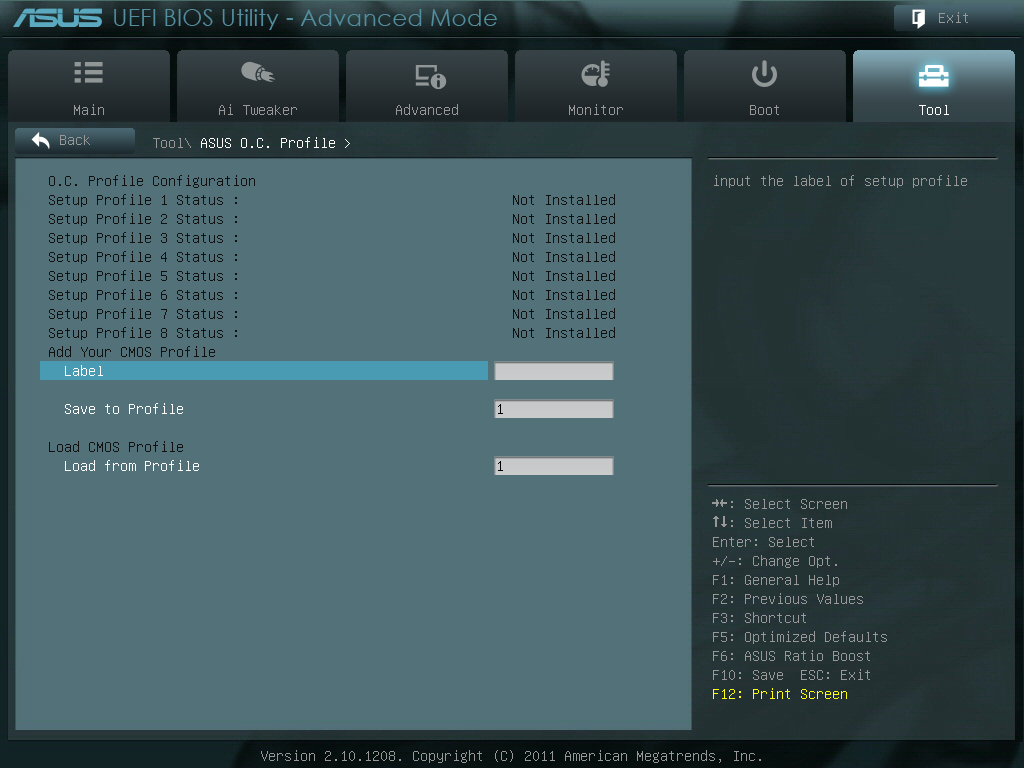
可儲存多達8種設定值
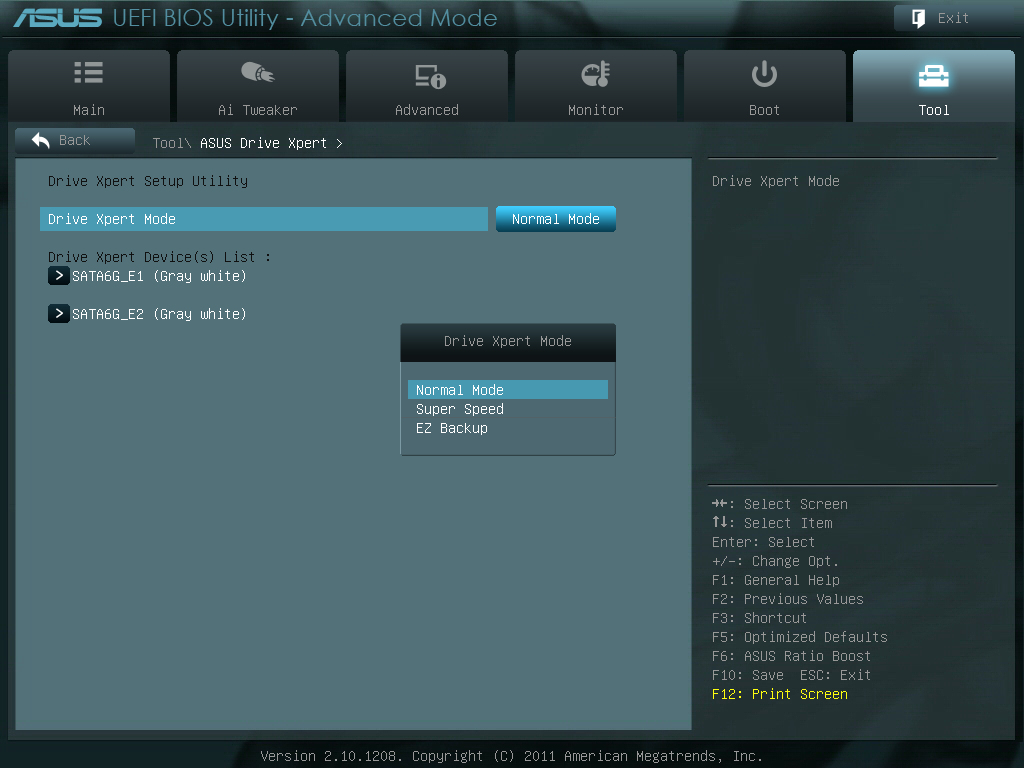
Marvell SATA 6Gb/s Port的加速選項
http://picx.xfastest.com/elvis/MB/ASUS/SabertoothX79/BIOS-23.jpg
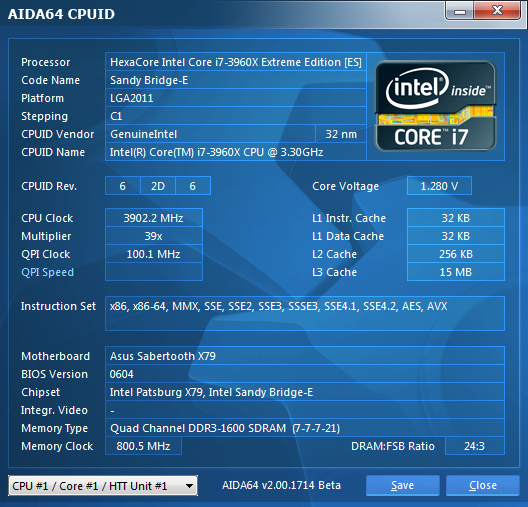
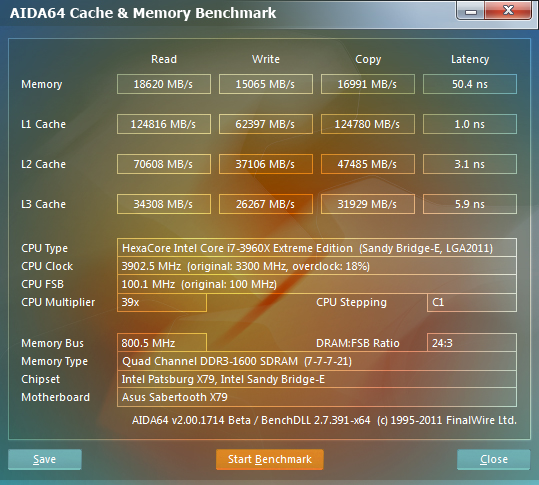
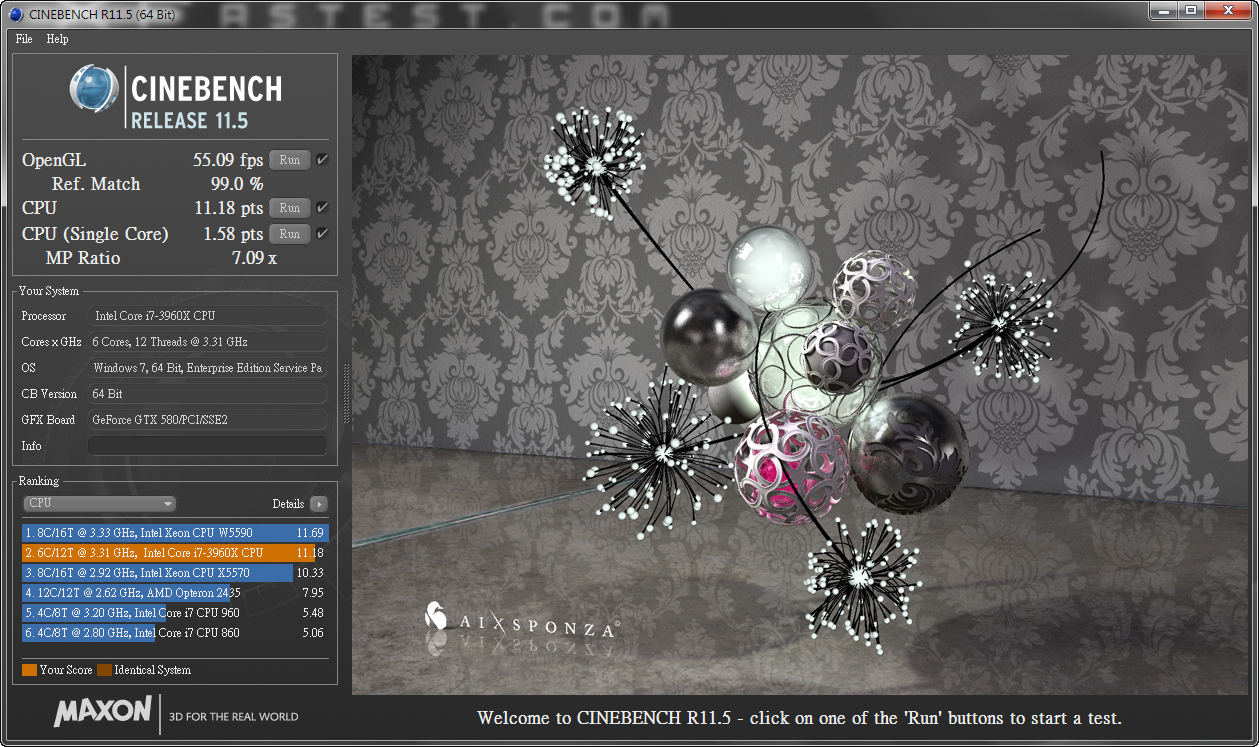
Cinebench 11.5 多執行緒圖形渲染
http://picx.xfastest.com/elvis/MB/ASUS/SabertoothX79/Cinebench.png

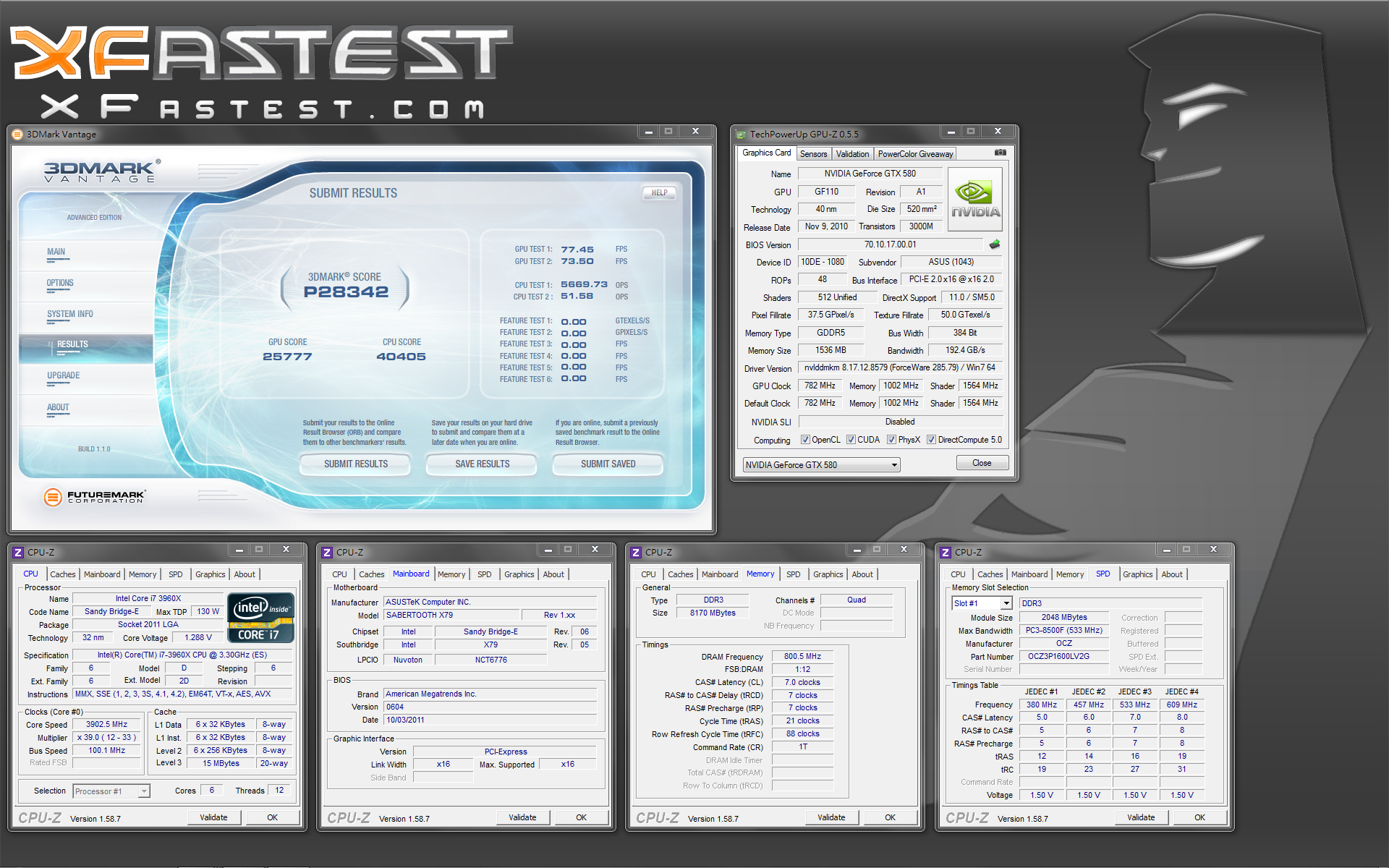
3DMark Vantage Performance Score
http://picx.xfastest.com/elvis/MB/ASUS/SabertoothX79/3DMarkVantageP.png
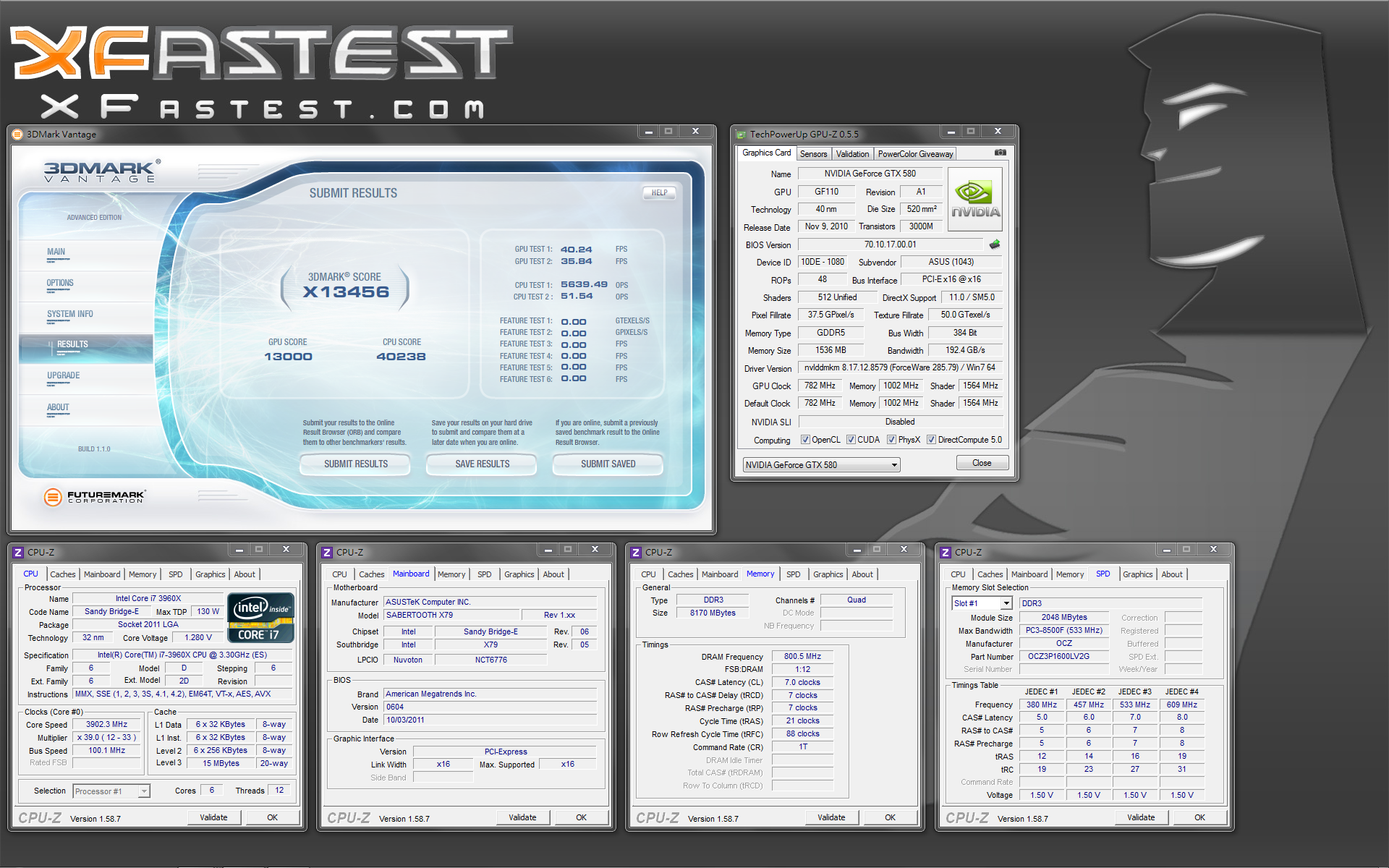
3DMark Vantage eXtreme Score
http://picx.xfastest.com/elvis/MB/ASUS/SabertoothX79/3DMarkVantageX.png
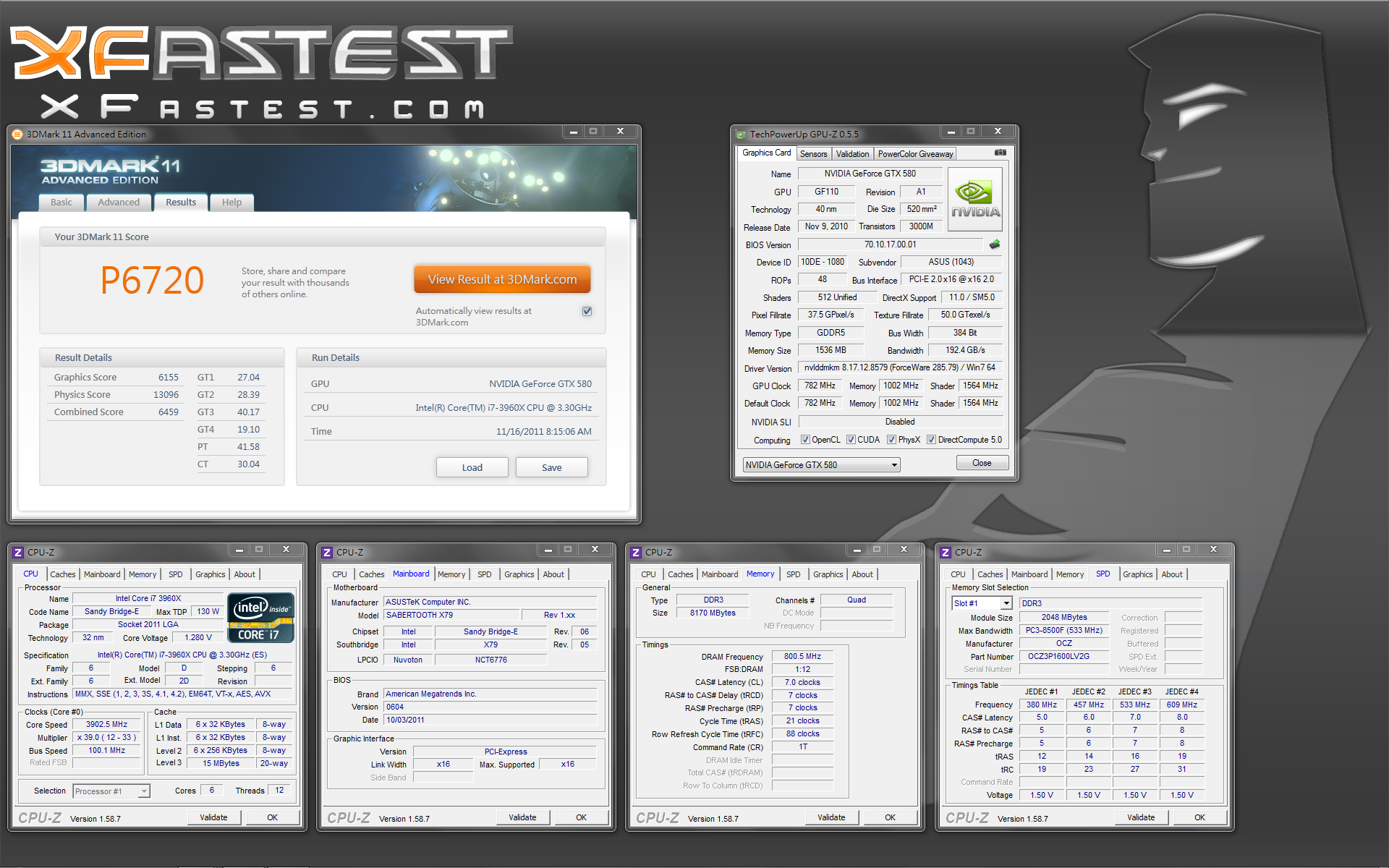
3DMark11 Performance Score
http://picx.xfastest.com/elvis/MB/ASUS/SabertoothX79/3DMark11P.png
3DMark11 eXtreme Score
http://picx.xfastest.com/elvis/MB/ASUS/SabertoothX79/3DMark11X.png

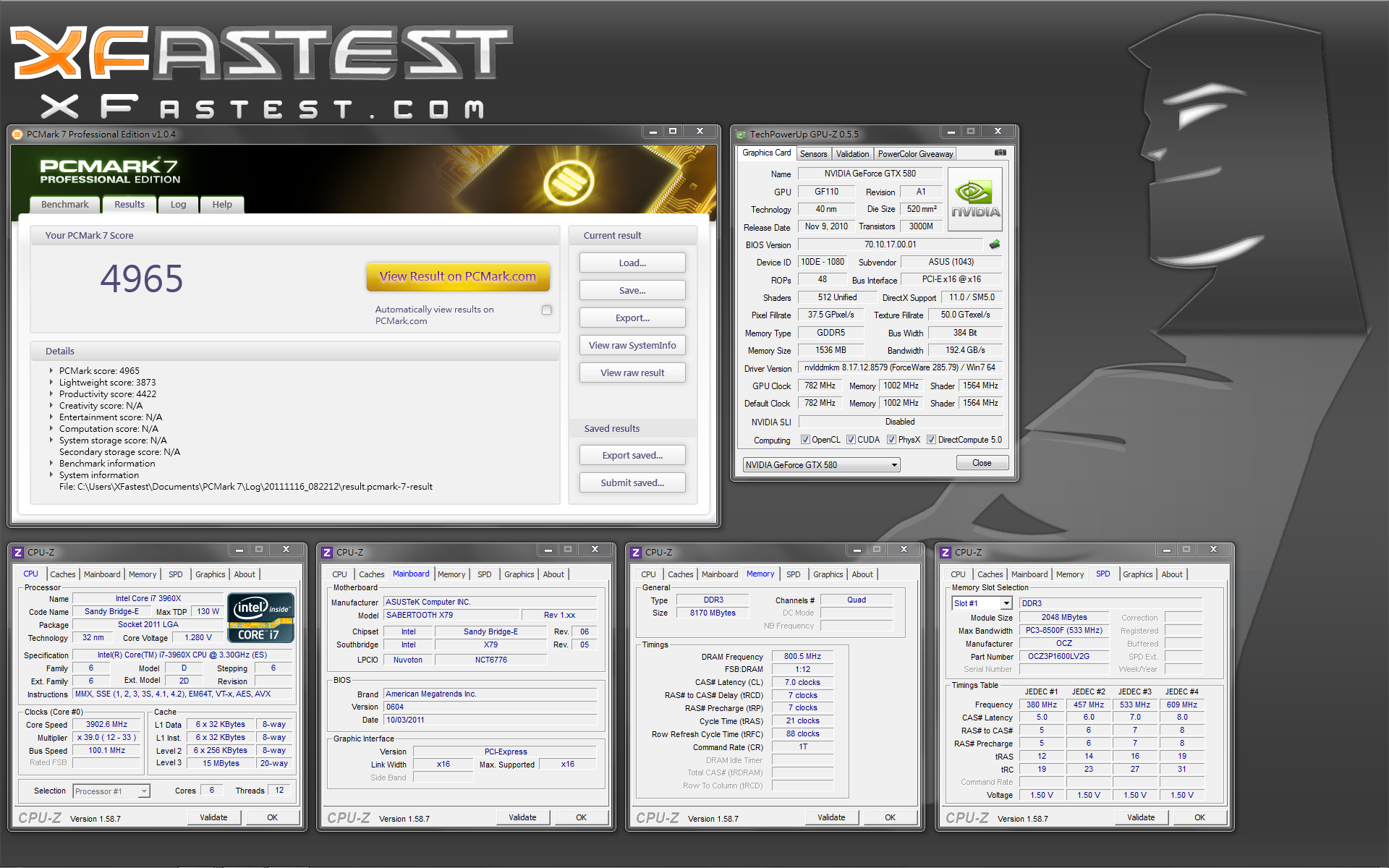
小結
SABERTOOTH的使用者族群設定在對穩定性的要求非常高的工作站使用者,
使用軍規元件再搭配5年的優質保固,
ASUS SABERTOOTH X79絕對是Sandy Bridge-E架構平台的良伴!
--
推
07/19 12:21,
07/19 12:21
--
※ 發信站: 批踢踢實業坊(ptt.cc)
◆ From: 220.133.46.24
推
11/17 08:56, , 1F
11/17 08:56, 1F
→
11/17 09:36, , 2F
11/17 09:36, 2F
推
11/17 10:35, , 3F
11/17 10:35, 3F
推
11/17 11:22, , 4F
11/17 11:22, 4F
→
11/17 12:17, , 5F
11/17 12:17, 5F